
 Blu Agent
Book it. Route it. Link it to the deal.
Blu shares your availability, books the meeting, routes it to the right rep, and links everything to the contact and deal. No back-and-forth.
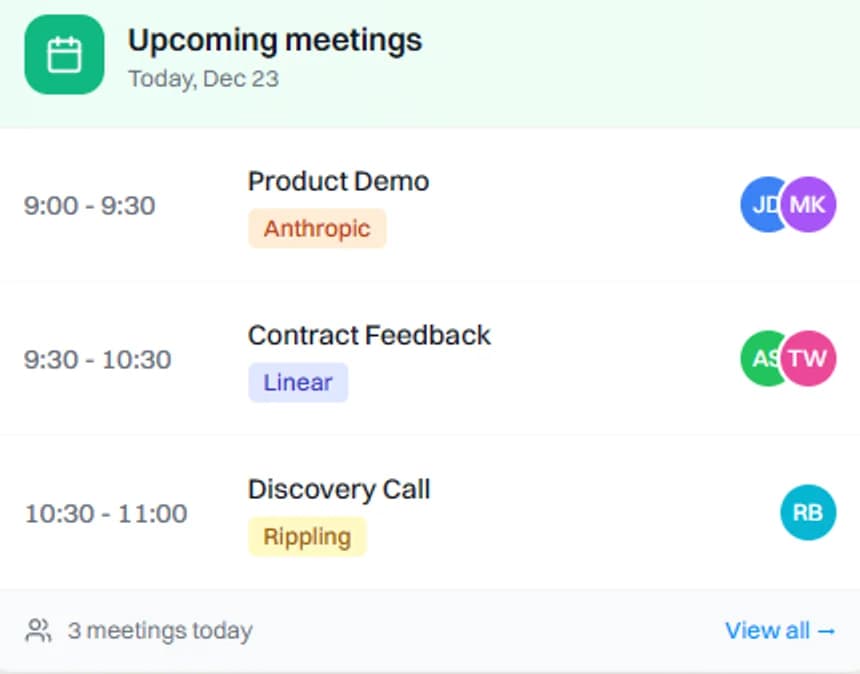
Booking that feels effortless
Give prospects one link. Keep your calendar accurate. Reduce no-shows.
Booking links with real availability
Share a link that reflects live availability across connected calendars.
Timezone-smart booking
Auto-detect timezone and book in the prospect's local time.
Buffers, windows, and limits
Add buffer time, set working hours, and avoid back-to-back meetings.
Team scheduling and smart routing
Route meetings to the right person and keep distribution fair.
New Lead Created
LeadCheck Segments
4 conditionsRound-Robin
SDR QueueFind Matching
ContactRound robin distribution
Distribute meetings across reps automatically with configurable rules.
Smart routing rules
Route based on account, region, segment, priority, or ownership logic.
Team calendars and coverage
Set shared pools, coverage windows, and fallback routing when someone is unavailable.
Calendar and CRM sync that stays clean
Every booking links to the contact, account, and deal, turning scheduling into pipeline execution.
Two-way calendar sync
Sync with Google Calendar and Outlook so changes update everywhere.
CRM-linked meeting logging
Meetings log to the right contact, account, and deal automatically.
Reminders and follow-through
Send reminders, track outcomes, and keep scheduling tied to next steps.
Powered by unified customer data
Every action Blu takes — from sharing availability to routing meetings to linking to deals — draws from the same data: inbox activity, meeting transcripts, website behavior, and CRM history. No integrations to break. No context to rebuild.
Frequently Asked Questions
Everything you need to know about scheduling and booking
Basic schedulers stop at booking a slot. This is built for selling. Booking stays tied to the contact, account, and deal, then flows into tasks, follow-ups, and pipeline updates. The value is not the link. The value is continuity across scheduling, CRM, and execution.
Yes. You can create different meeting types, set availability windows per type, add buffer time before and after, and limit meetings per day. This is the practical fix for back-to-back fatigue and overbooking.
Meetings can be distributed evenly across a pool, with rules to account for coverage, time zones, ownership, and priority. You can also define fallbacks if a rep is out or a calendar is full, so bookings do not get blocked.
Yes. You can route based on attributes like region, company size, segment, deal owner, or lead priority. If you have intent scoring, you can route high-intent prospects to specific reps or faster booking types.
The meeting is logged to the right record, reminders can go out automatically, and follow-up tasks can be created. The goal is that booked time immediately turns into execution, not more admin.
Yes. You can customize booking pages, meeting details, confirmation messaging, and reminder behavior so the scheduling experience matches your workflow and customer expectations.
Stop the scheduling back-and-forth
See how Intempt scheduling streamlines your booking process