Have you ever been through Slack onboarding? If you have, you just know that they have it spot on. Slack shortens time-to-value by designing the first 10 minutes around one outcome. In this case study, we break down the moments that matter in Slack's onboarding and show exactly how to implement the same playbook in your PLG SaaS.
The Challenge: First Sessions Are Quiet
Most PLG trials start with curiosity and end with silence. People sign up, skim the UI, and bounce before they ever experience real value. Why? The moment someone lands in your product, the clock starts - no one wants long docs or steep learning curves. Your job is to crush time-to-value (TTV): get them to a meaningful outcome fast.
What Slack Does Differently?
1) Friction-lite sign-up
A single email field (or Google sign-in) gets you in. Passwords/verifications are deferred until truly needed. The goal: minutes to first message, not minutes in a form.
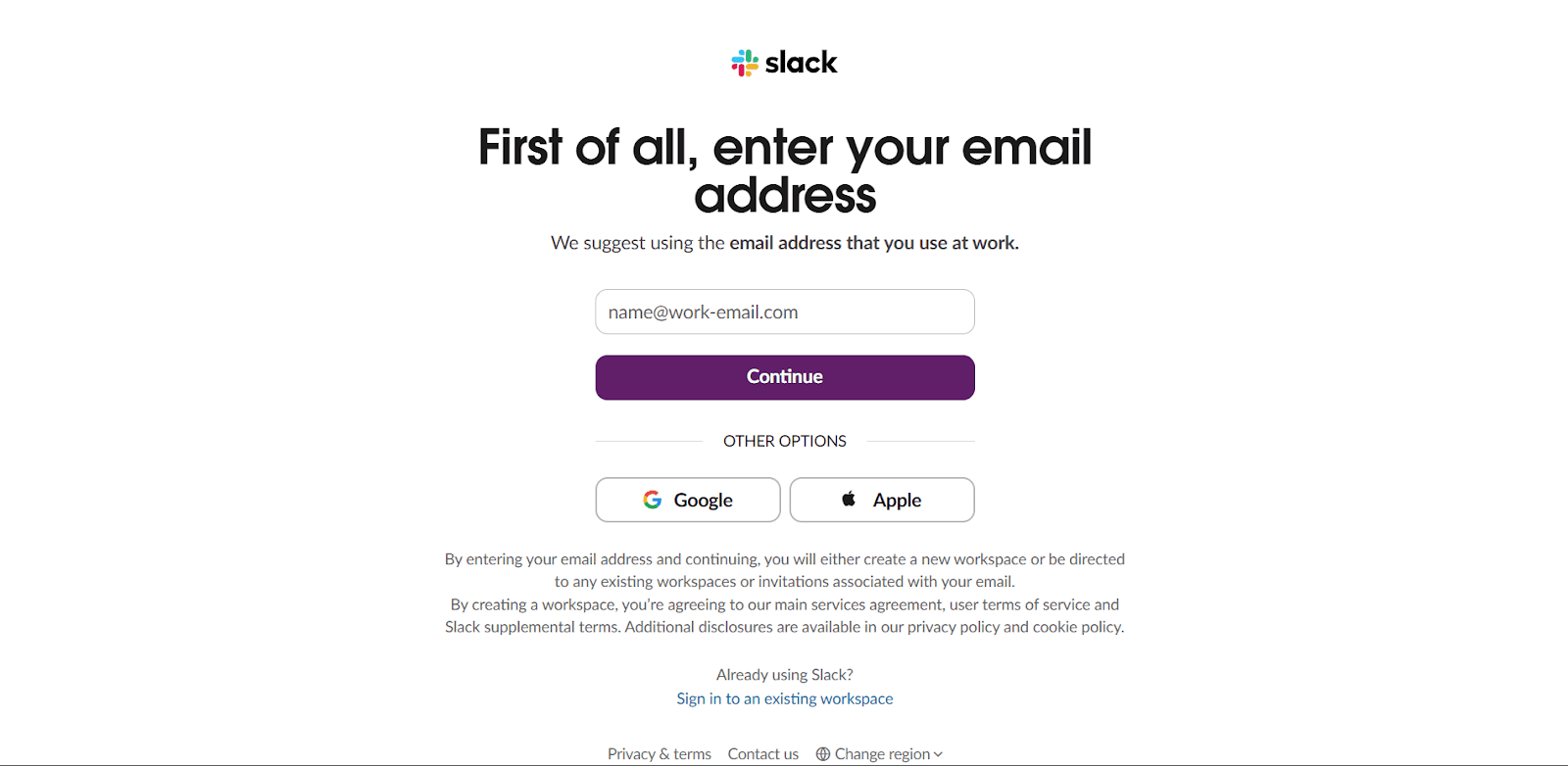
Takeaway: Ask only for what unlocks value now; everything else can wait.
2) Personalization in the First 60 Seconds
Slack asks two or three intent questions, then reflects the answers back immediately: your workspace name and a pre-named first channel. It also asks to invite your team members, getting more user signups and moving users one step closer to activation.
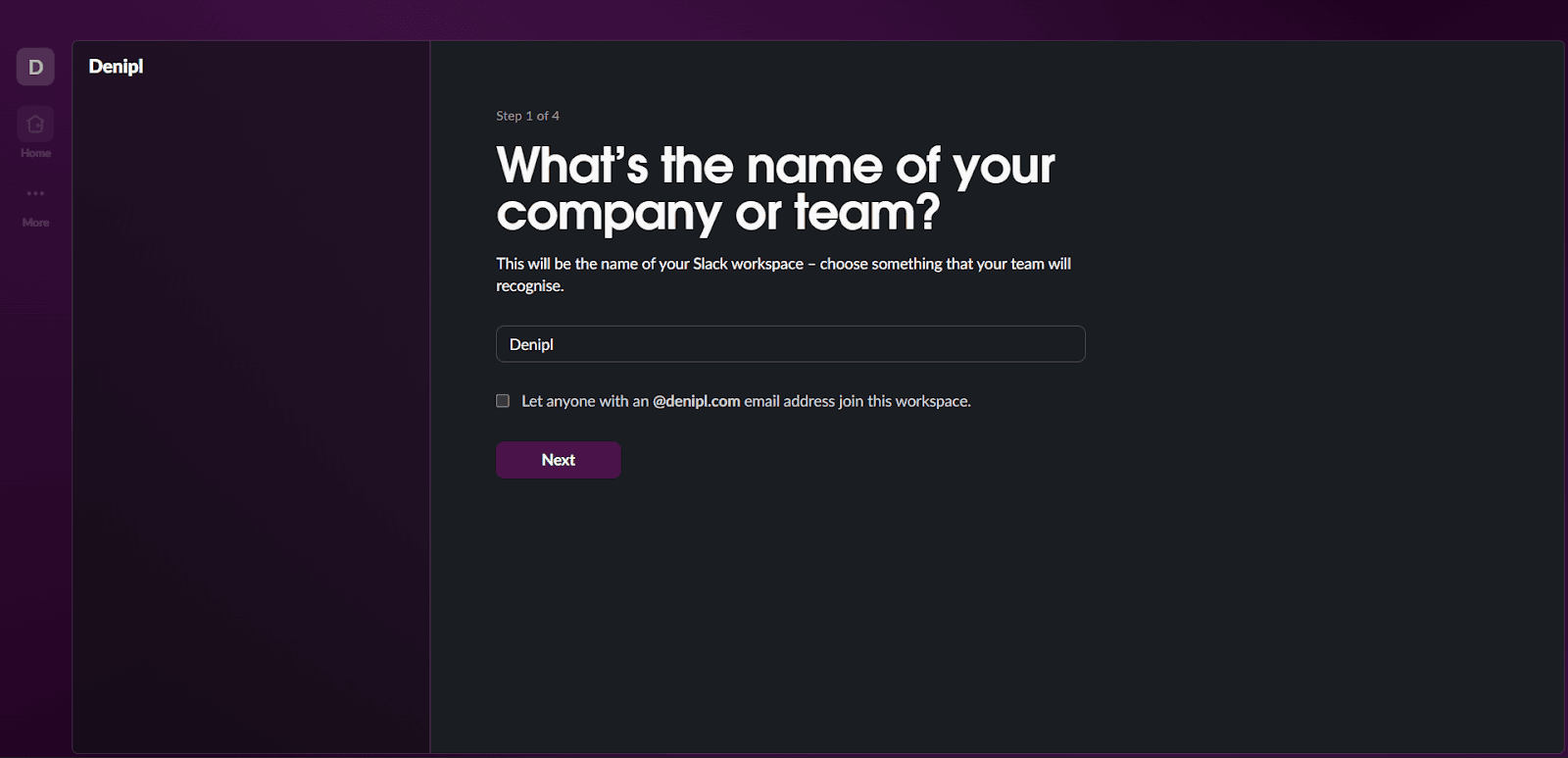
Takeaway: Mirror user inputs in the UI immediately. Ask questions that help take the user one step closer to the value of the product.
3) Action Over Exposition
Instead of a 12-step tour, Slack puts focus in the message box with a hint. Hit enter, get a small celebration, move forward.
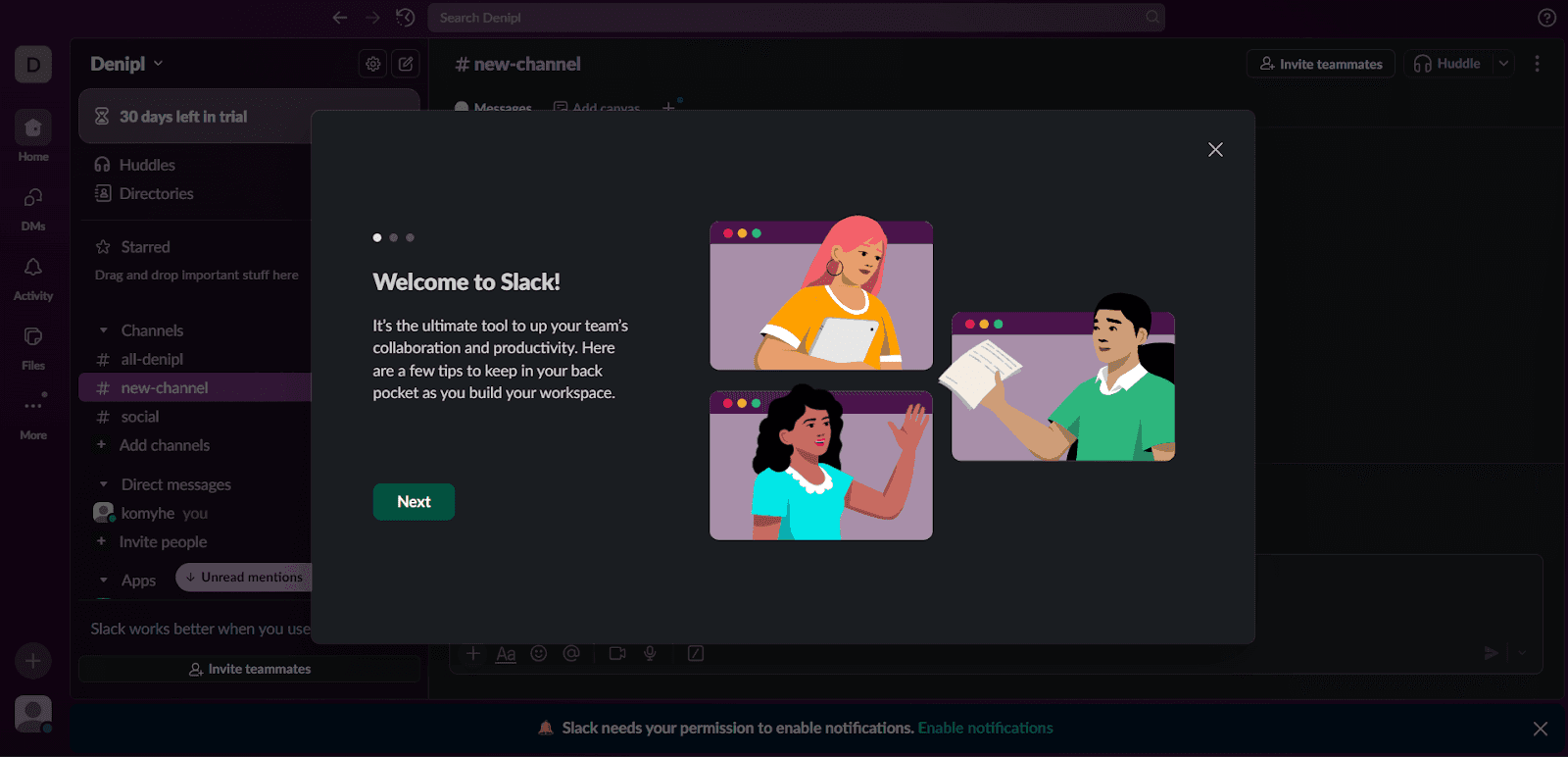
Takeaway: Make the next action the default focus. Celebrate the click that matters.
4) Empty States That Teach
Blank surfaces explain "what this space is for" and suggest a single next step. No walls of text, no lecture.
Takeaway: Every empty state should answer: Why am I here? What should I do now?
5) Teaching With Onboarding
Onboarding inside Slack uses tooltips, templates, and nudges. This beats detached docs that pop up with long paragraphs.
Takeaway: Teach in the product, in context, with the same UI users will use tomorrow.
How to Implement This in Your Product?
Step 1: Define activation and key user events
Identify your activation point and map events guiding users to that value and beyond. Track the minimum set:
- workspace_created, first_message_sent, channel_created, member_invited
- integration_added, workflow_run (if you have automations)
- Stall signals: no_activity_12h, no_invites_24h, checklist_dismissed
Step 2: Build a next-best-action map
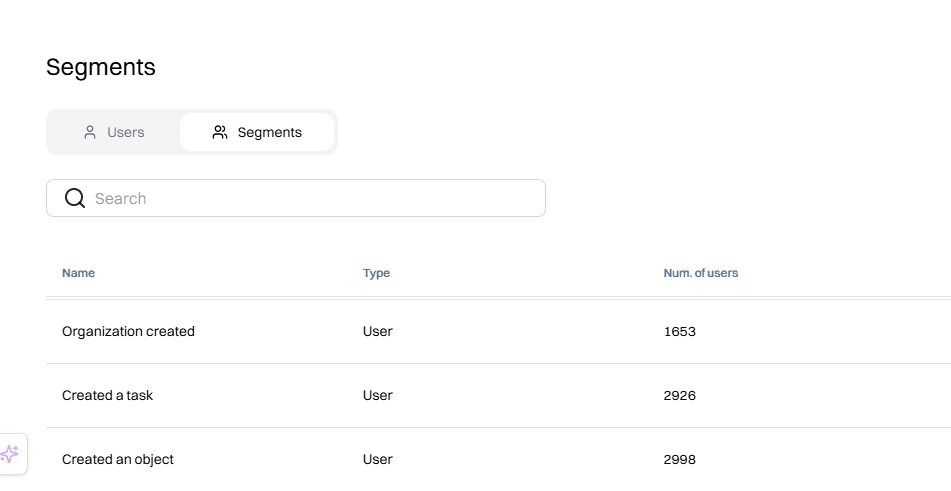
Map out key actions users should take to reach the aha moment fast. Create segments in Intempt:
- New User: Users who have just signed up.
- Created Project: Users who have created their first project.
- Invited Team Member: Users who have invited their first team member.
Intempt updates these segments in real time, so after a user does an event, they automatically get enrolled.
Step 3: Render server-side personalizations
First sessions collapse when the UI feels generic or jumpy. Intempt's server-side personalizations avoid "flicker" and make guidance feel native.
Some personalized user onboarding you can do:
- Pin a 3-5 step checklist (message → channel → invite → integration)
- Add micro-banners in empty states
- Drop CTA tiles that match the next-best-action prediction
- Trigger inline help where users already type/click
Every element should have a skip option and respect frequency caps.
Step 4: Extend gently to other channels
After users try core actions, follow up with timely reminders:
- Email: "Your team's first channel is ready - invite two teammates in one click."
- Push/SMS (if opted in): "Two clicks to connect Calendar and post your next meeting in #general."
- Sales/CS alert for high-value accounts that stall at "invite teammates."
Step 5: Test for incrementality
Clicks can lie; only lift tells you if onboarding actually shortens time-to-value.
- Run account-level holdouts (10-20%).
- Primary metrics: Time to value, Day/week activation, multiplayer %, attach rate.
- Ship 1–2 changes/week, keep a public changelog, sunset what doesn't move the metric.
Results You Can Aim For
- Time-to-first-value (TTFV): down 40–70%
- Day-1 activation: up 20–35%
- Multiplayer rate (≥2 members/24h): up 25–50%
- Week-1 retention: meaningfully up, often before conversion moves
What Not to Do
- Grand tours that teach everything before doing anything.
- Collecting everything (job title, team size, billing address…) before showing value.
- Triple-nudging (in-app + email + push) for the same action in the same hour.
- Static recommendations that ignore behavior.
TLDR
Problem: New accounts stall in single-player mode; value is invisible until teammates, channels, and real work show up.
What Slack nailed: Friction-lite sign-up, personalized empty states, and just-in-time prompts that move users closer to activation.
How to implement: Instrument a lean activation model, serve in-session next-best actions, use server-side personalizations, reach out on different channels, and test for incrementality.
Frequently asked questions. Answered.
Split paths. Let end-users start with SSO/lite entry while admins complete SSO/SCIM later. Don't block the first message behind the enterprise setup.

About the author
Somya Nayak
Growth Marketer
Somya is a product marketer focused on helping B2B and e-commerce teams get more from their marketing stack. She writes about personalization, analytics, and revenue-focused campaigns.
LinkedIn