The best AI product photography tools in 2026 can all generate a clean product photo. Only one can turn that photo into a running ad, a personalized email, and a tested landing page without leaving the platform. That is Intempt's Design suite, and it changes the math on what these tools should actually do for your business.
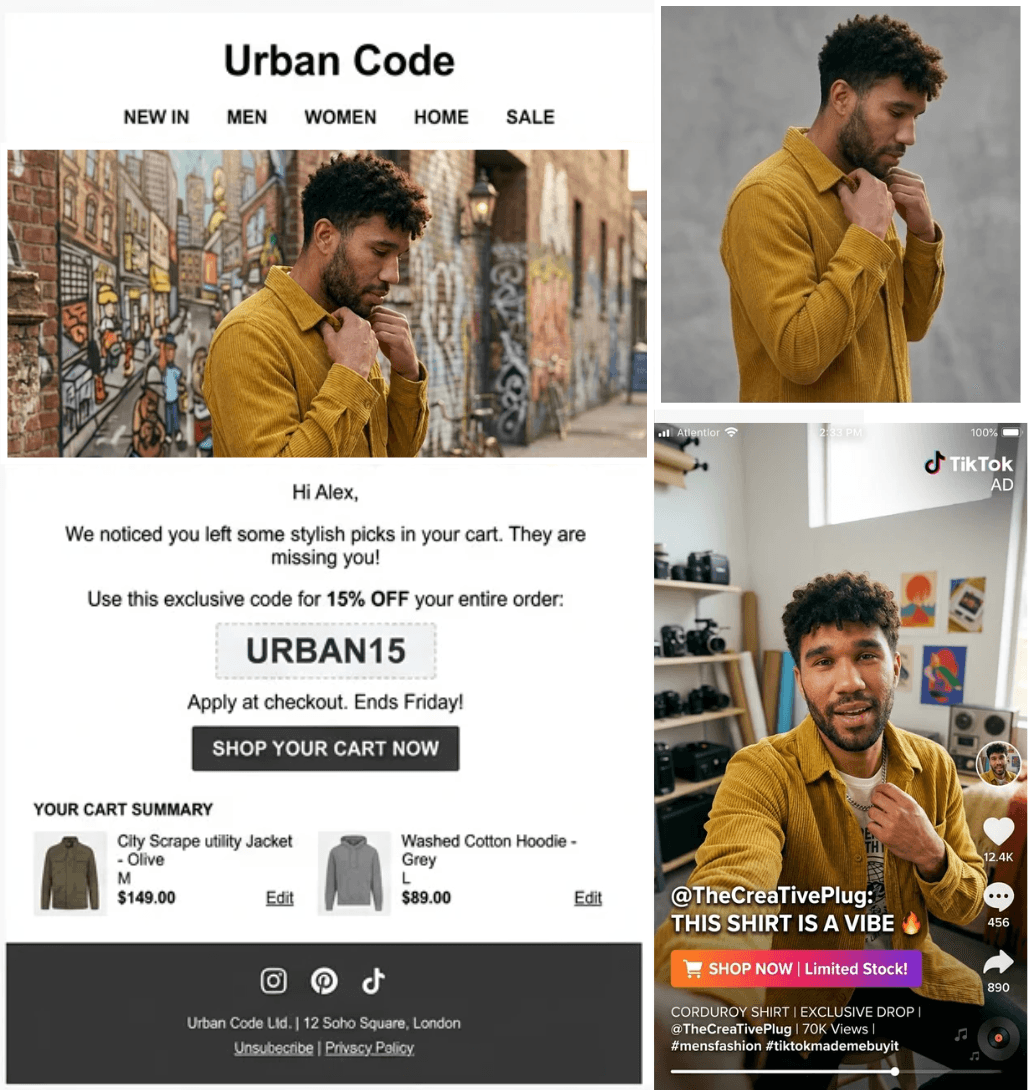
The best AI product photography tools in 2026 replace studio shoots with generated backgrounds, model composites, and batch editing at a fraction of the cost. The market has matured fast. Most tools now handle background removal, scene generation, and basic editing well. The real split is what happens after the image exists.
- If you need mobile-first editing for social posts: Photoroom is the fastest path from phone to feed.
- If you run a Shopify store and want product photos inside your storefront workflow: CreatorKit plugs in natively.
- If you need to generate photos AND deploy them into ads, emails, and landing pages from one platform: Intempt is the only tool that connects image creation to live campaign execution through its CDP.
Best all-round for ecommerce teams who want to stop stitching tools together: Intempt.
What Is AI Product Photography?
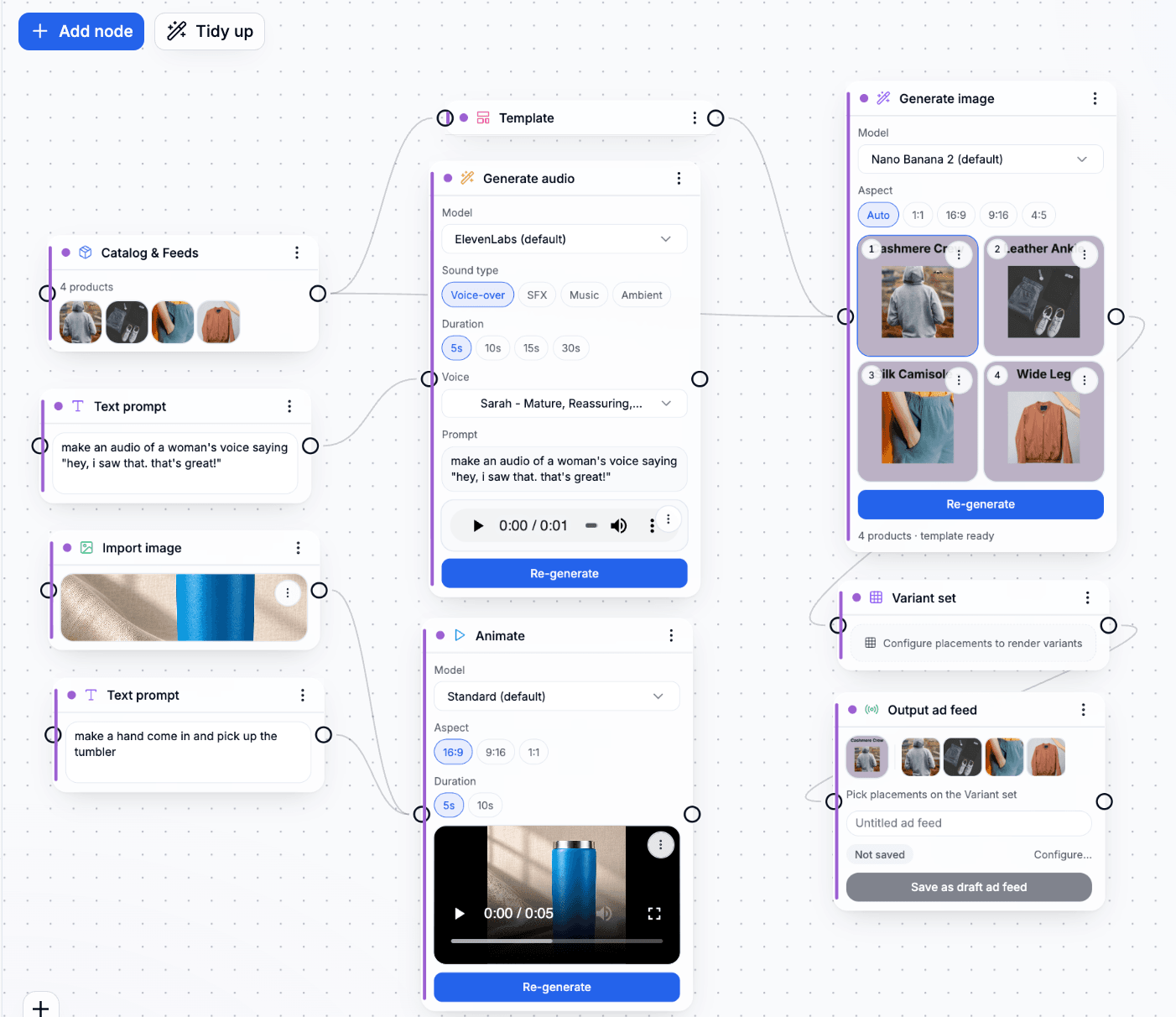
AI product photography uses generative models to create, edit, and enhance product images without a traditional studio setup. You upload a product photo (or sometimes just a reference image), and the tool generates professional backgrounds, lifestyle scenes, model composites, and platform-ready crops. The technology handles tasks that previously required a photographer, a stylist, a studio rental, and hours of post-production. For ecommerce teams running hundreds or thousands of SKUs, it compresses what used to take weeks into hours.
Why Now?
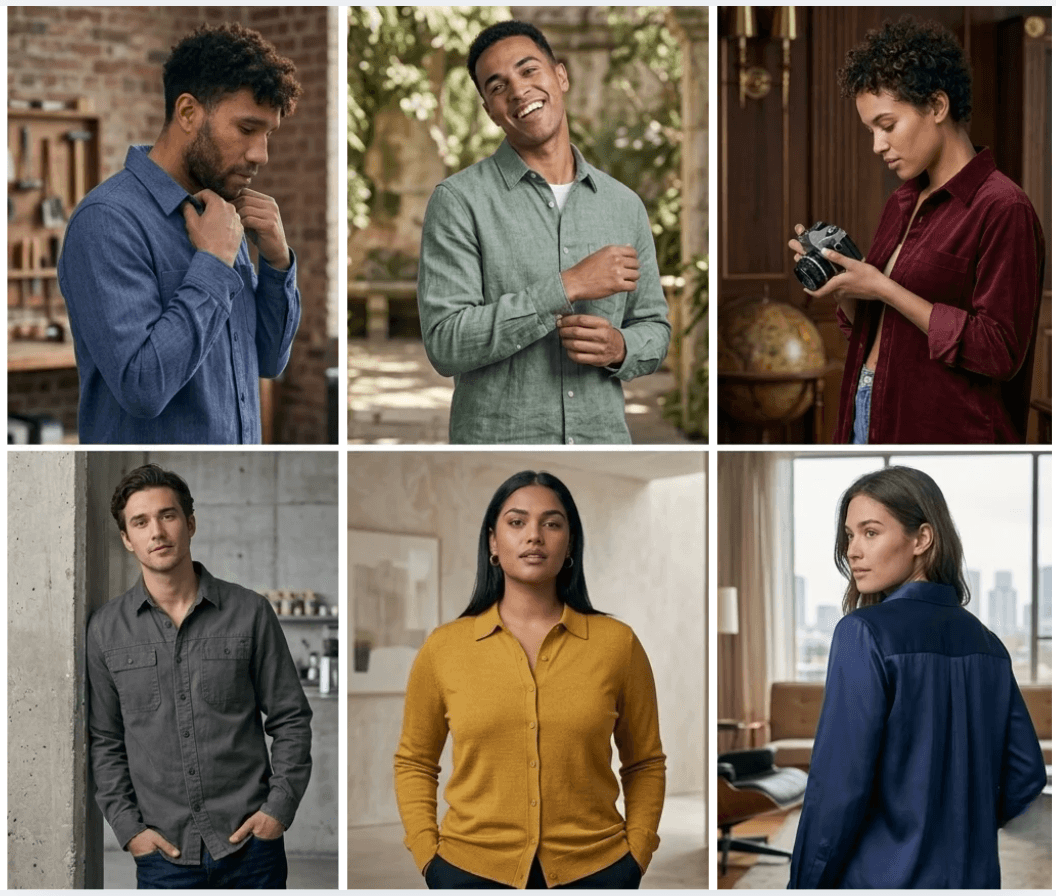
The shift to AI-generated product imagery accelerated in 2025 and is now standard practice for high-volume ecommerce. Here is what is driving adoption in 2026.
- Cost pressure is real. A single traditional product shoot costs $50 to $500 per image. Multiply that across a catalog of 500 SKUs and four seasonal refreshes, and you are looking at six figures annually.
- Speed expectations have changed. Marketplaces like Amazon, Shopify, and TikTok Shop expect fresh creative weekly, not quarterly. Manual production cannot keep pace.
- Image quality from AI tools crossed the threshold. Two years ago, AI-generated product photos looked synthetic. Current models produce images that pass marketplace compliance checks and consumer trust tests.
- Personalization demands more variants. A single hero image is not enough. Teams need variations by audience segment, channel, and locale. AI makes 50 variants as easy as one.
- Ad platforms reward creative volume. Meta and Google both favor accounts that test more creative variants. More images means more signal, which means lower cost per acquisition.
- Integration gaps are the new bottleneck. The image is no longer the hard part. Getting that image into the right ad set, email template, or landing page, personalized to the right segment, is where teams lose time.
How to Choose an AI Product Photography Tool
Not every tool fits every workflow. Before comparing features, get clear on what matters for your team.
- Image generation quality. Can the tool produce images that meet your marketplace and brand standards without heavy manual editing afterward?
- Batch and catalog support. If you manage more than 50 SKUs, you need bulk processing. Check whether the tool supports catalog imports, batch background swaps, and template-based generation.
- Brand consistency controls. Look for features like brand kits, style presets, or recipe systems that lock output to your brand guidelines. Without these, every image looks different.
- Deployment and distribution. This is the biggest gap in the market. Most tools export a file. A few push directly to ad platforms, email builders, or landing pages. If your workflow requires multiple tools after image creation, factor in that cost.
- Editing depth. Background removal is table stakes. Evaluate shadow generation, object removal, lasso editing, upscaling, and model/avatar compositing.
- Pricing model. Some tools charge per image, others per seat, others by export volume. Calculate your actual cost per finished asset, not just the subscription price.
- Platform integrations. Does the tool connect to your ad channels, your CMS, or your ecommerce platform? Every manual export step is a place where errors and delays accumulate.
The 8 Best AI Product Photography Tools in 2026
1. Intempt
Best for: Ecommerce teams that want to generate product images and deploy them into ads, emails, and landing pages from one platform
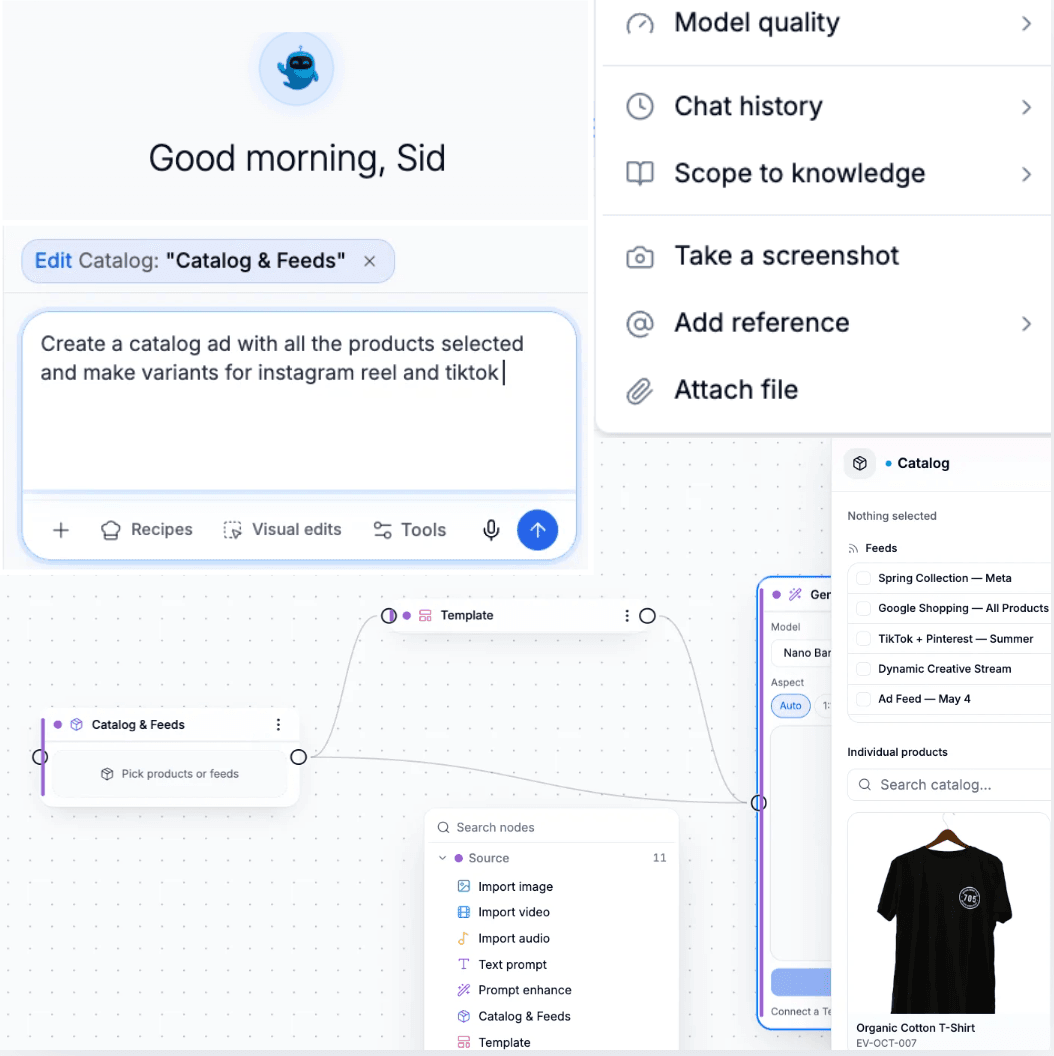
Intempt is not a standalone photo editor. It is a CDP-first marketing platform where AI Studio sits alongside ad building, email composition, journey orchestration, and A/B testing. The photo is step one. What happens next is the point.
Key strengths:
- Composable prompt system with 10 block categories: lighting (20 options), camera angles, shot types, props, backgrounds, surfaces, color palettes, styles, film stocks, and scenes. 32 curated scene presets across eight environment families.
- Pose system with deep anatomy metadata covering product interaction types (holding, wearing, applying, unboxing, mirror try-on, flatlay) and an avatar system with reference images and expression directives.
- Seven image editing operations: background remove, replace, and blur; erase and retouch; lasso edit; add shadows; AI enhance; upscale 4x; crop and expand.
- Ad feeds that publish directly to Meta, Google, TikTok, Pinterest, Snapchat, and LinkedIn with platform-specific compliance checks built in.
- BrandRecipe system combining brand archetype, brand tokens, and catalog binding with conditional rules using CDP data (product fields, customer segments, lifecycle stage, lifetime value).
Limitations:
- Not a mobile app. Built for desktop production workflows.
- The full value shows when you use the CDP and campaign tools together. If you only need background removal, this is more platform than you need.
Integrations: Native connection to Brand Kit for brand locking, Journeys for email, SMS, and push delivery, Personalize for landing pages, and Experiment for A/B testing creative variants.
Pricing: Free plan at $0 with 100K events per month and 1K experiences. Professional at $19 per seat per month (annual). Organization at $39 per seat per month (annual). Enterprise at $79 per seat per month (annual).
Good fit if:
- You are tired of generating images in one tool, then manually uploading them to your ad manager, email builder, and landing page editor separately.
- You want your product creative to change based on who is seeing it (segment, lifecycle stage, geography) without producing each variant by hand.
Pass if:
- You only need quick background swaps on your phone.
- You are a solo seller with fewer than 10 products and no ad campaigns running.
Try Intempt's AI Studio free. Generate your first product photoshoot, push it to an ad feed, and personalize the landing page, all from one workspace. Start here.
2. Photoroom
Best for: Mobile-first editing and fast background removal
Photoroom is the most widely adopted mobile photo editing app in the ecommerce space, with over 150 million downloads. Its core strength is instant background removal and replacement with minimal effort.
Key strengths:
- Background removal that works reliably on complex product shapes (jewelry, transparent bottles, fine edges).
- Large template library for marketplace listings (Amazon, eBay, Etsy, Poshmark).
- Batch editing for removing and replacing backgrounds across multiple images at once.
- AI-generated lifestyle scenes with text-to-image prompts.
- Available on iOS, Android, and web.
Limitations:
- Limited control over lighting, camera angles, and advanced composition compared to desktop-first tools.
- No connection to ad platforms, email builders, or campaign systems. You export the image and handle distribution yourself.
Integrations: Direct export to marketplace formats. No native ad platform or email builder connections.
Pricing: Free plan with watermarked exports. Pro starts at $9.99 per month.
Good fit if:
- You sell on marketplaces and need clean product images fast, often from your phone.
- Your team is small and speed matters more than advanced creative control.
Pass if:
- You need to produce images at catalog scale with brand-locked consistency.
- You want your images to flow directly into ad campaigns without manual handoff.
3. Claid.ai
Best for: API-driven batch processing and automation at scale
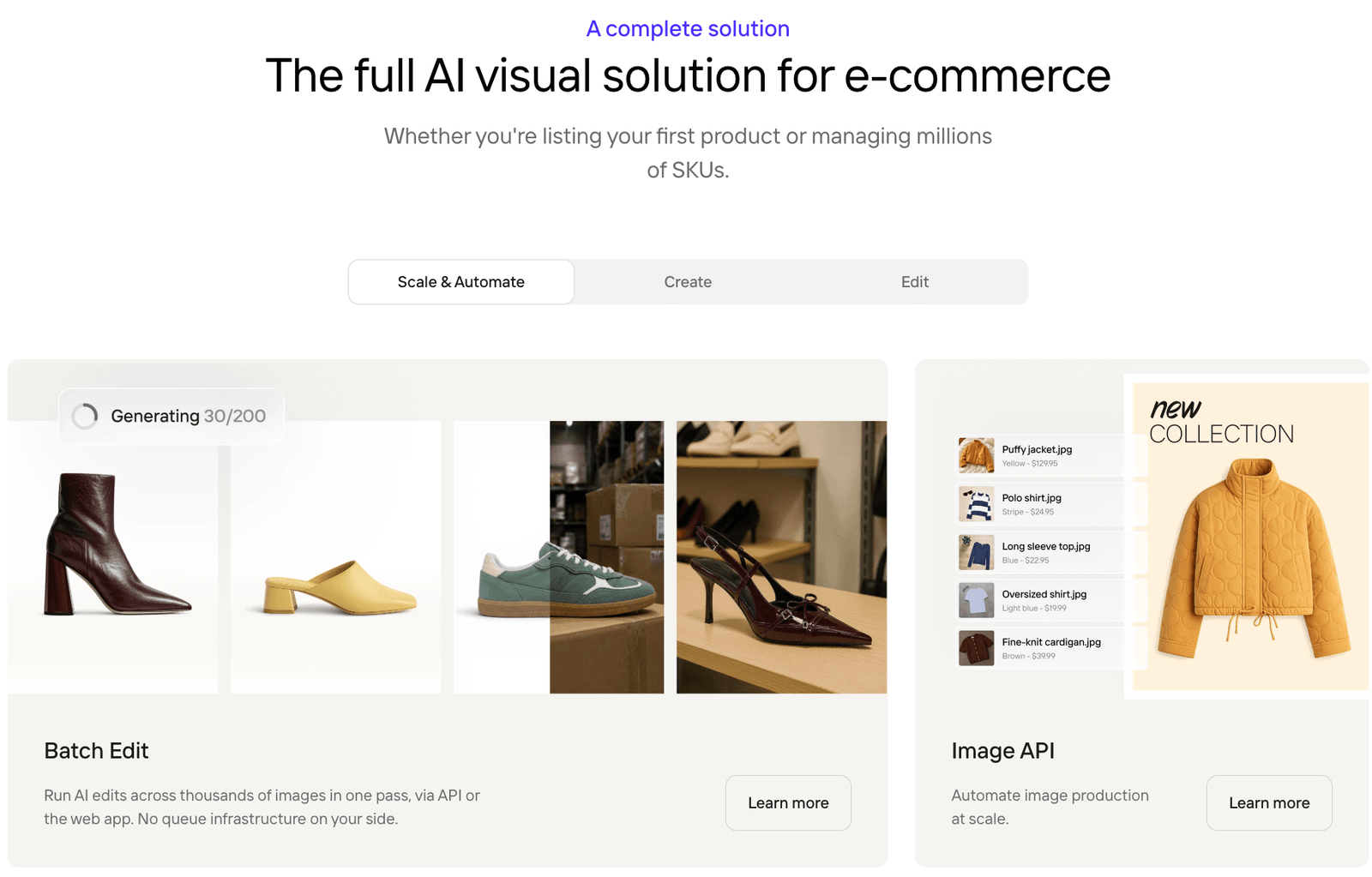
Claid.ai focuses on programmatic image enhancement. If you have thousands of product images that need consistent quality improvements, background standardization, or resolution upscaling, Claid handles it through API calls rather than a manual editor.
Key strengths:
- API-first architecture designed for high-volume catalog operations. Process thousands of images without opening an editor.
- AI upscaling that improves resolution without visible artifacts on most product categories.
- Automated background generation and standardization to meet marketplace requirements.
- Smart cropping and framing that adjusts composition for different platform aspect ratios.
- Built for integration into existing product information management (PIM) and digital asset management (DAM) pipelines.
Limitations:
- Not built for creative exploration or lifestyle scene generation. This is an automation tool, not a design tool.
- Requires developer resources to set up and maintain the API integration.
Integrations: REST API for custom workflows. Connects to PIM and DAM systems through API.
Pricing: Usage-based pricing starting at $0.05 per image for basic enhancements. Volume discounts available.
Good fit if:
- You manage a catalog of 1,000-plus SKUs and need programmatic image processing baked into your product pipeline.
- You have engineering resources to implement and maintain an API integration.
Pass if:
- You want a visual editor for creative scene generation.
- Your team is non-technical and needs a drag-and-drop interface.
4. Nightjar
Best for: Catalog consistency with a recipe-based workflow
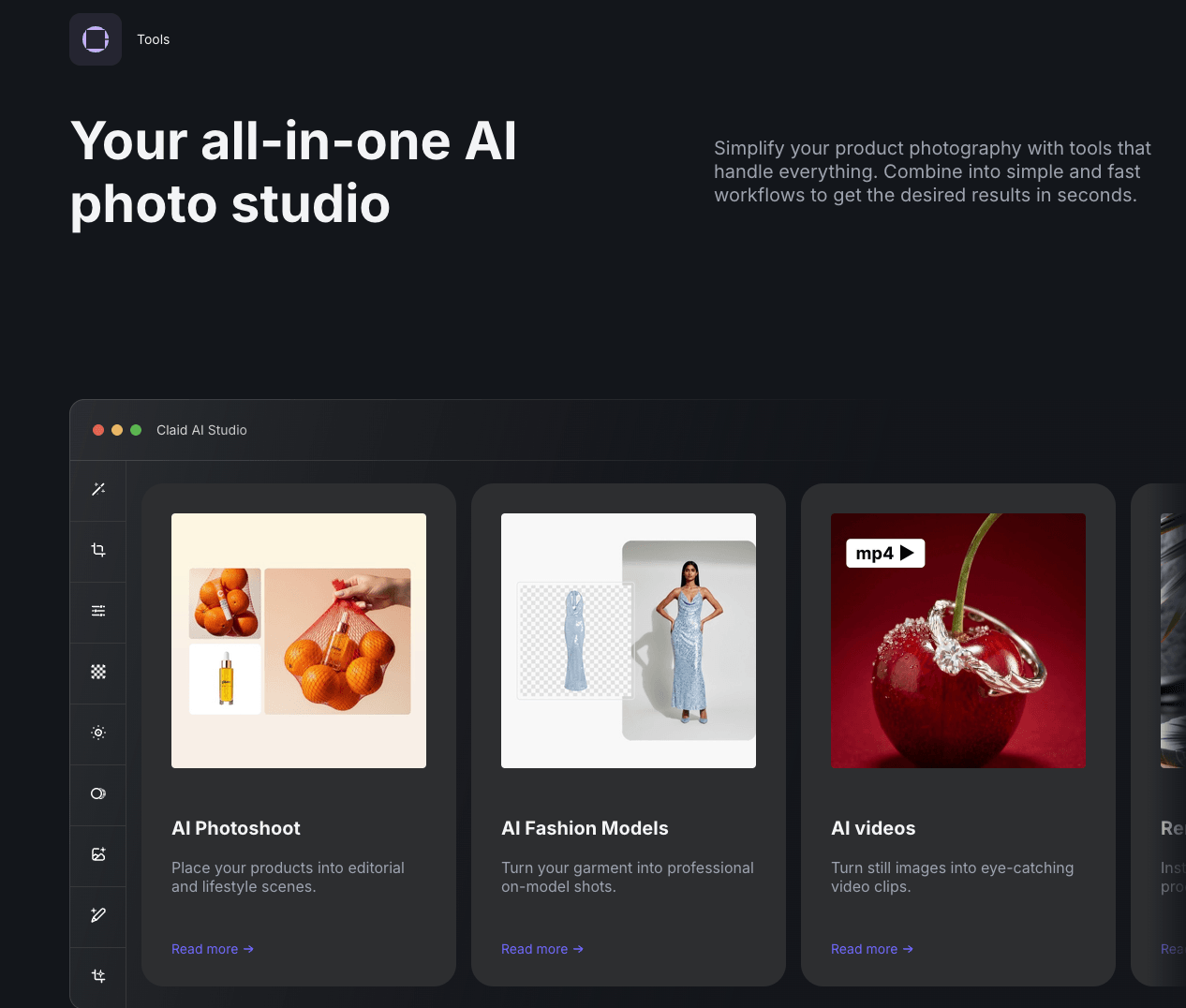
Nightjar approaches product photography as a system, not a one-off task. Its recipe system lets you define a visual formula (background, lighting, angle, props) and apply it uniformly across your entire catalog.
Key strengths:
- Recipe-based generation system that locks in a visual style and applies it to every product in a collection. Useful for ensuring your catalog pages look cohesive.
- Strong background generation with control over materials, textures, and environmental context.
- Designed for teams that produce seasonal or thematic collections where visual consistency matters more than individual creative flair.
- Web-based interface that most teams can learn in a single session.
Limitations:
- Smaller community and ecosystem compared to Photoroom or Flair.ai, which means fewer templates and third-party resources.
- No direct publishing to ad platforms or campaign systems. Output is exported as image files.
Integrations: Image export. No native connections to ad, email, or ecommerce platforms.
Pricing: Free tier available with limited generations. Paid plans start at $29 per month.
Good fit if:
- Catalog consistency is your top priority and you want a repeatable system rather than one-off edits.
- You produce themed collections (seasonal drops, holiday campaigns) where every image needs to match.
Pass if:
- You need per-image creative control with drag-and-drop composition.
- You want images to publish directly to ad feeds without a manual step.
5. Flair.ai
Best for: Creative control with drag-and-drop scene composition
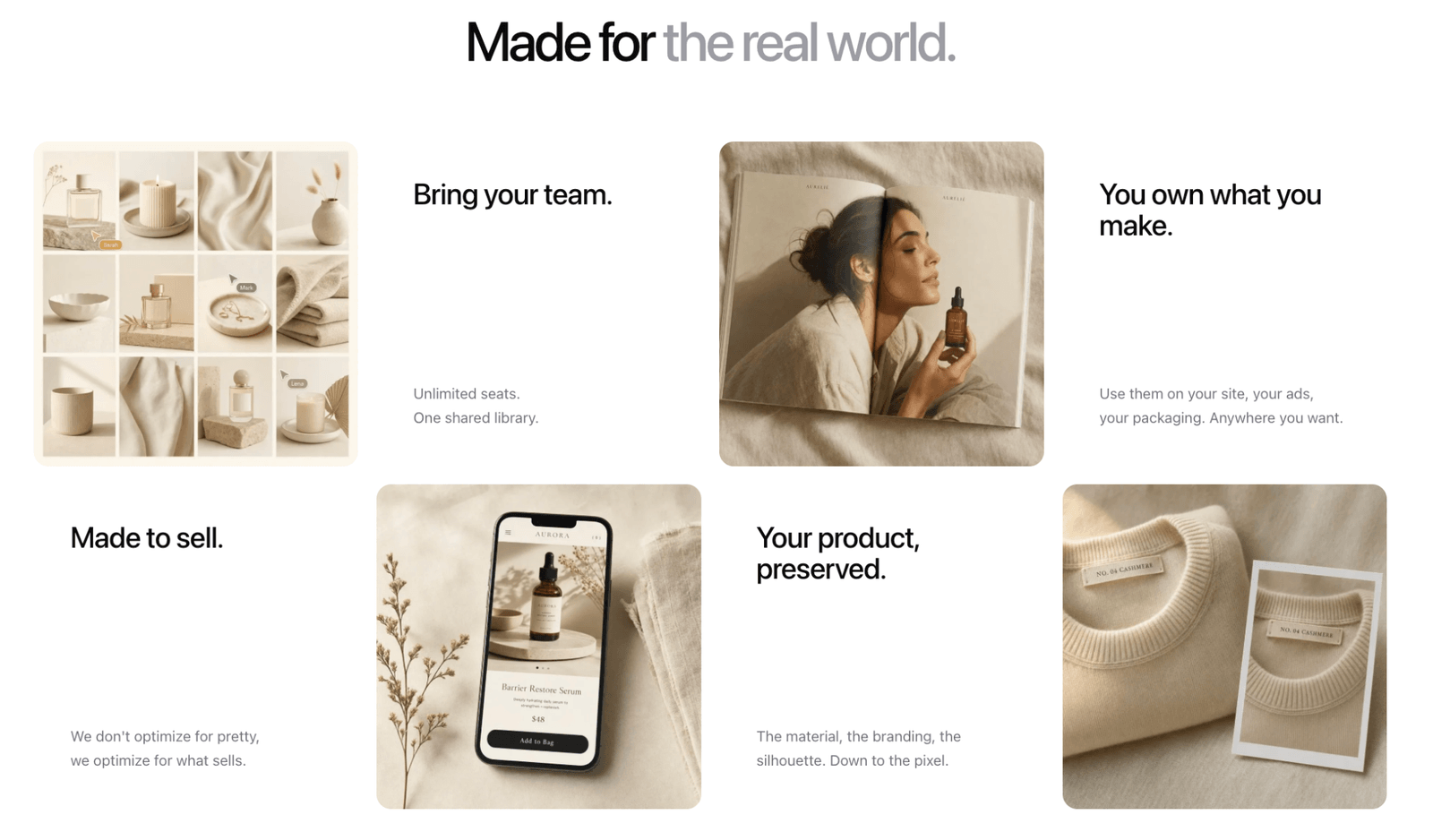
Flair.ai gives you a canvas where you place your product and build the scene around it. Drag in props, adjust lighting, set backgrounds, and compose the shot visually. It is the closest experience to art-directing a shoot without a photographer.
Key strengths:
- Drag-and-drop canvas for composing product scenes. Place your product, add props, adjust the environment, and see the result before generating.
- Strong control over individual scene elements (shadows, reflections, surface materials).
- Template library for common ecommerce categories (beauty, food, electronics, fashion accessories).
- Prompt-based and visual-based workflows, so both text-heavy and visual thinkers can work comfortably.
Limitations:
- Steeper learning curve than tools that focus purely on background removal. The canvas gives you more control, but you spend more time per image.
- No deployment or distribution features. The workflow ends at the exported image.
Integrations: Image export only. No native platform connections.
Pricing: Free tier with limited exports. Paid plans from $10 per month.
Good fit if:
- You want to art-direct each product shot with precise control over composition, props, and environment.
- Your brand aesthetic requires custom scenes that templates cannot cover.
Pass if:
- You need bulk processing across hundreds of SKUs. The per-image workflow does not scale well for large catalogs.
- You want images to flow into campaigns without manual export and upload.
6. Pebblely
Best for: Budget-friendly AI backgrounds with a generous free tier
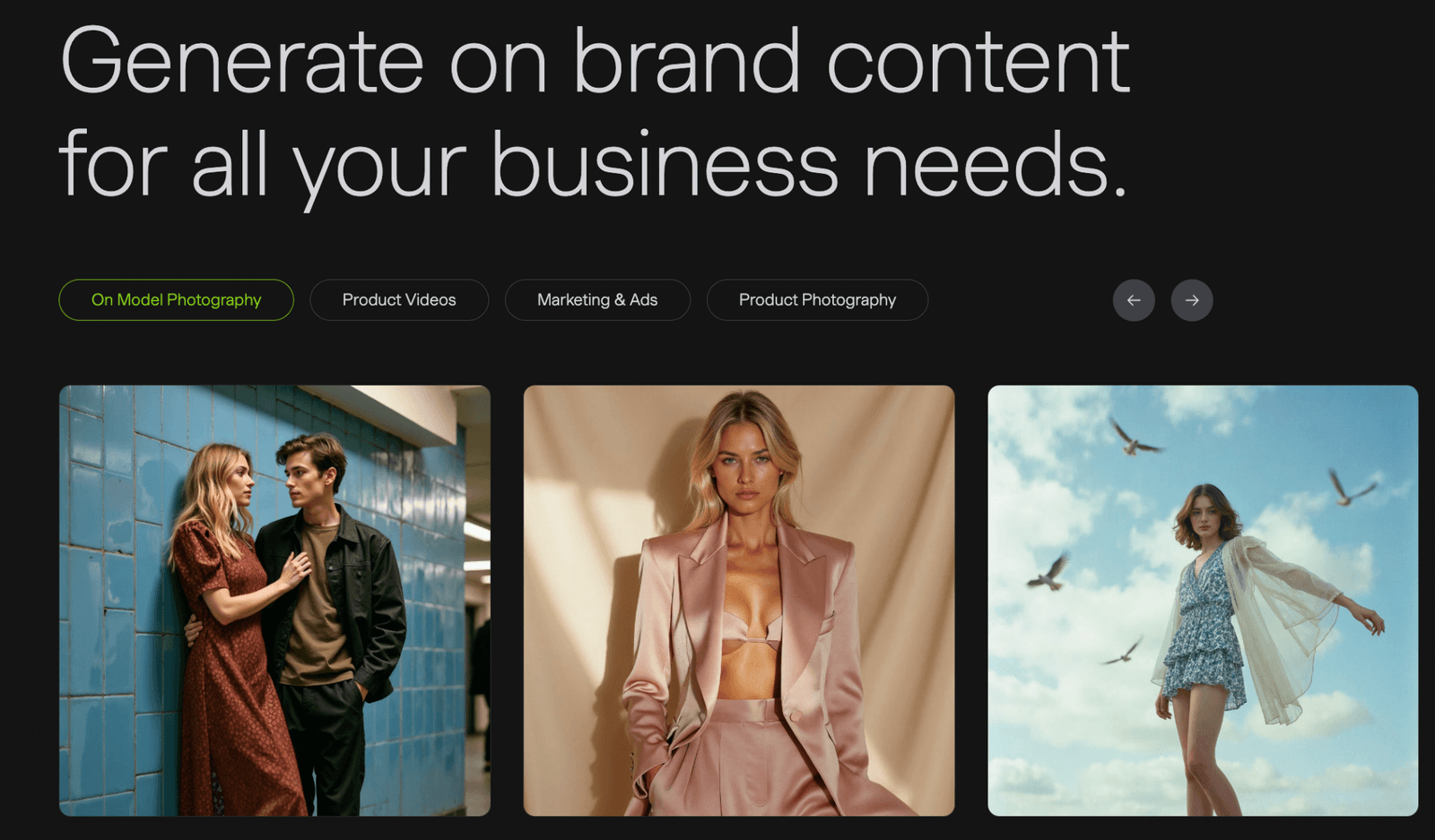
Pebblely does one thing well: it takes your product image, removes the background, and places it in an AI-generated scene. No complex canvas, no API setup, no learning curve.
Key strengths:
- Simple workflow: upload a product image, choose or describe a scene, and generate. Results in under a minute.
- Generous free plan with 40 images per month, which is enough for small sellers to test thoroughly.
- Decent scene variety across common ecommerce categories (kitchen, bathroom, outdoor, studio, lifestyle).
- Multiple aspect ratios and platform-specific presets for Amazon, Shopify, and social media.
Limitations:
- Limited editing after generation. If the scene does not work, you generate again rather than adjusting individual elements.
- No batch processing, brand locking, or catalog-scale features. Built for individual image creation.
Integrations: Image export. No platform connections.
Pricing: Free plan with 40 images per month. Pro at $19 per month for 1,000 images.
Good fit if:
- You are a small seller or startup testing AI product photography for the first time and want a zero-risk entry point.
- You need simple, clean product scenes without advanced composition.
Pass if:
- You manage a catalog with more than 100 SKUs and need batch processing.
- You need brand-locked consistency or deployment to ad platforms.
7. WearView
Best for: Fashion and apparel with virtual try-on and model generation
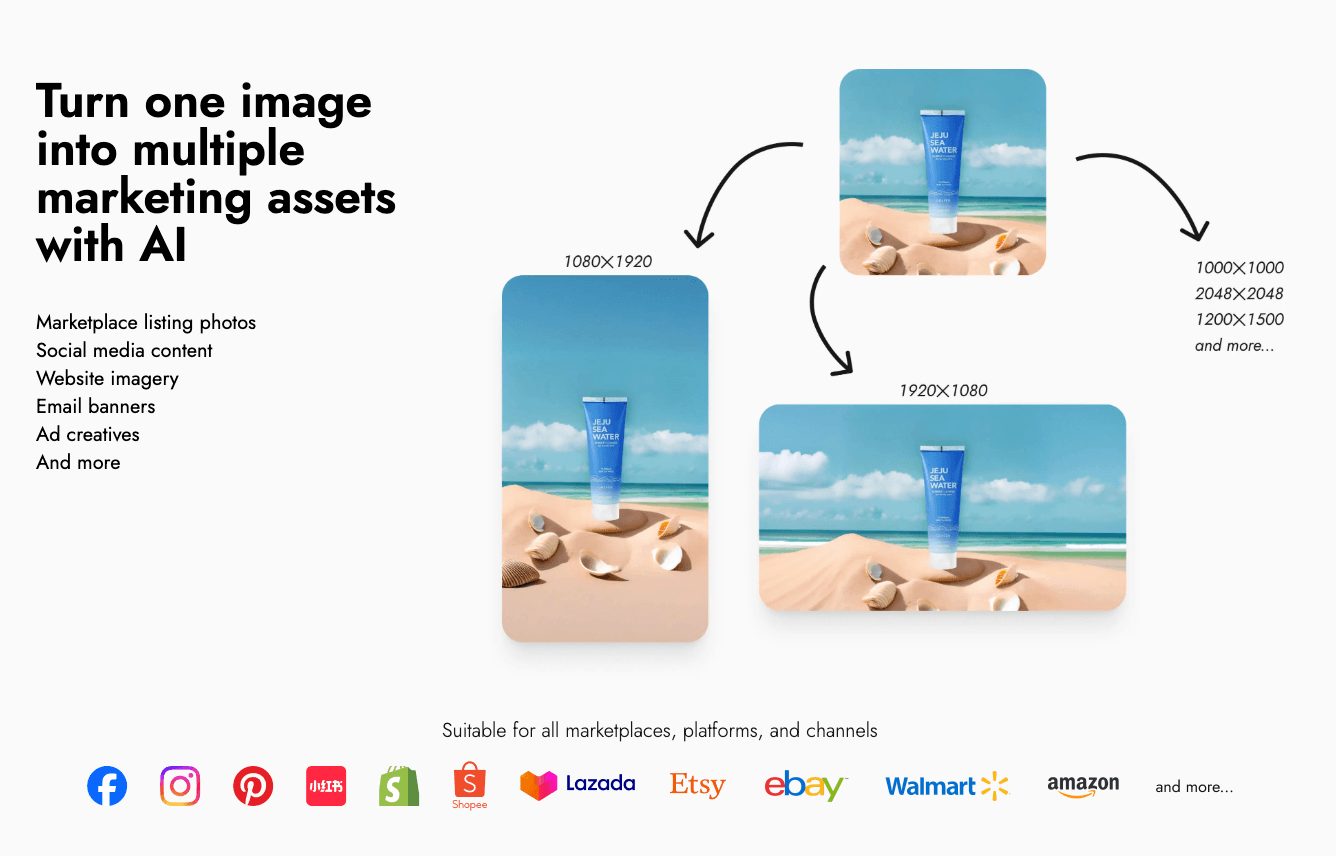
WearView specializes in fashion photography. It generates model images wearing your products, handles virtual try-on composites, and creates lookbook-style imagery specifically for apparel, accessories, and beauty brands.
Key strengths:
- AI model generation with customizable body types, skin tones, poses, and expressions. No real model booking required.
- Virtual try-on that composites your garment onto generated models with realistic draping and fit.
- Lookbook-style outputs designed for fashion ecommerce (editorial poses, lifestyle settings, seasonal themes).
- Ghost mannequin removal and replacement with AI-generated model shots.
Limitations:
- Narrowly focused on fashion and apparel. Not useful for electronics, home goods, food, or other product categories.
- Model realism varies by garment complexity. Heavily draped or layered items can produce artifacts.
Integrations: Image export. No direct connections to ad or ecommerce platforms.
Pricing: Plans start at $49 per month for fashion-specific features.
Good fit if:
- You sell apparel or fashion accessories and need model photography without booking real models.
- You produce lookbooks or seasonal collections and want consistent model imagery across the line.
Pass if:
- Your products are not fashion or apparel. The tool is not built for general product photography.
- You need your images to publish directly into ad feeds or email templates.
8. CreatorKit
Best for: Shopify store owners who want product photos inside their storefront workflow
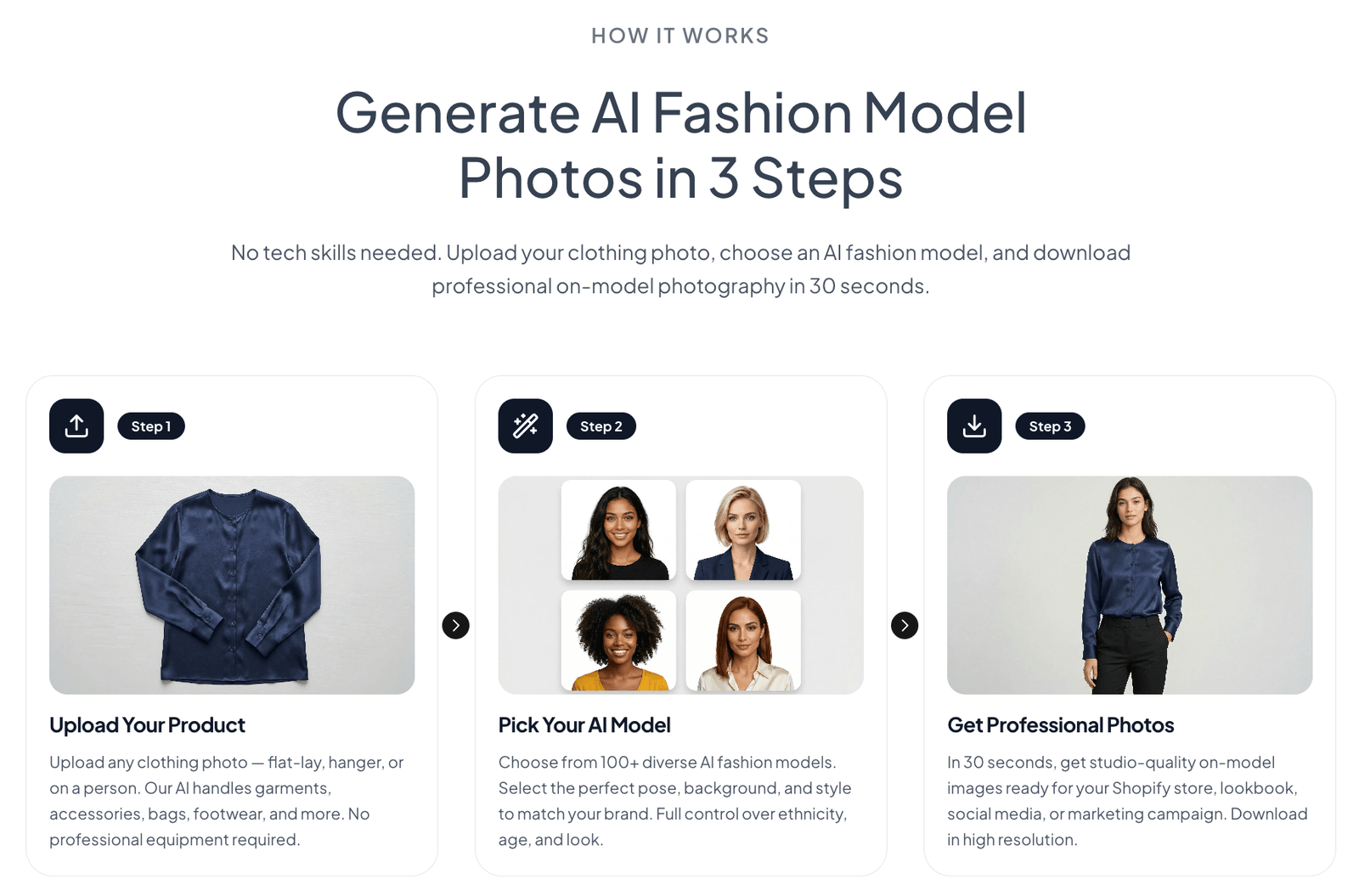
CreatorKit is built around the Shopify ecosystem. It pulls your product data directly from your store, generates images and videos, and pushes them back. If Shopify is your platform, the integration is seamless.
Key strengths:
- Native Shopify integration that imports product data (titles, descriptions, images) and exports finished creative back to your store.
- Product video generation in addition to still images. Turn a product photo into a short video clip for social or product pages.
- Background removal and replacement tuned for ecommerce product images.
- Batch generation using your Shopify catalog data as the source.
Limitations:
- Tightly coupled to Shopify. If you sell on other platforms (WooCommerce, BigCommerce, custom storefronts), the core value proposition weakens.
- Limited creative control compared to canvas-based tools like Flair.ai. You are working within templates, not composing from scratch.
Integrations: Native Shopify integration. Limited connections outside the Shopify ecosystem.
Pricing: Free plan available. Paid plans from $29 per month.
Good fit if:
- You run a Shopify store and want product image generation that reads from and writes back to your storefront.
- You want product videos alongside still images from one tool.
Pass if:
- You are not on Shopify.
- You need images deployed into ad campaigns, email templates, or landing pages beyond your storefront.
Cost Comparison: Traditional Photography vs. AI Tools vs. Full Pipeline
This is where the real math gets clear. The table below compares costs for a mid-size ecommerce brand managing 200 SKUs with quarterly creative refreshes (800 total images per year).
| Cost category | Traditional studio | Standalone AI tool | Intempt (full pipeline) |
|---|---|---|---|
| Image creation (800 images/year) | $43,000 to $67,000 (effective cost of $54 to $84 per image including photographer, retouching, studio rental, shipping, and coordination) | $300 to $900 (Photoroom Max at $27/month, Pebblely at $19/month, Flair Pro+ at $35/month, or Claid Pro at $49/month) | $456 to $1,176 (Professional plan at $18/seat/month) |
| Ad creative production | $5,000 to $15,000 (agency or in-house designer resizing, formatting, uploading to each ad platform) | $3,000 to $8,000 (manual export from photo tool, import to ad manager, format per platform) | Included (ad feeds publish directly to Meta, Google, TikTok, Pinterest, Snapchat, LinkedIn) |
| Email and [landing page](/personalize) creative | $3,000 to $10,000 (separate design tool, manual placement) | $2,000 to $5,000 (export, upload to email builder, resize) | Included (images flow directly into Messages Builder and landing page editor) |
| Personalization variants | $10,000 to $30,000 (separate shoots or design rounds per segment) | $1,000 to $3,000 (generate variants manually, upload to each channel) | Included (conditional rules use CDP data to swap creative by segment, lifecycle stage, or product field) |
| A/B testing creative | $2,000 to $5,000 (produce variants, set up tests manually) | $500 to $1,500 (manual variant creation and test setup) | Included (built-in experiment system tests creative variants natively) |
| Total annual cost | $63,000 to $127,000 | $6,800 to $18,400 | $456 to $1,176 |
| Time to go live per campaign | 2 to 4 weeks | 3 to 5 days (image creation) plus 1 to 2 days (manual distribution) | Same day (generate, deploy, personalize in one session) |
The numbers tell a specific story. Standalone AI tools cut image creation costs by 80 to 95 percent compared to traditional photography. That is real savings. But they do not address what happens after the image is made. The manual work of exporting, reformatting, uploading to ad platforms, placing into email templates, resizing for landing pages, and creating segment-specific variants costs as much as (or more than) the images themselves.
Intempt collapses those steps because the image, the ad, the email, the landing page, and the personalization rules all live in the same platform. The CDP connection means the right image reaches the right person without a human moving files between tools.
What to Look For (Checklist)
Before you commit to any AI product photography tool, run through this list.
- Does it handle your product category well? Test with your actual products, not the demo images. Reflective surfaces, transparent materials, and fine details (jewelry, electronics) expose quality differences fast.
- Can you lock brand guidelines? If every generated image looks slightly different, you will spend time on manual corrections. Look for brand kits, style presets, or recipe systems.
- What is the actual cost per finished, deployed asset? Factor in not just the generation cost but the time and tool costs to get that image into your ad set, email, or storefront.
- Does it support your scale? If you manage more than 100 SKUs, batch processing is not optional. Check upload limits, processing speed, and catalog import options.
- Where does the workflow end? If the tool exports a file and stops, calculate the cost of the manual steps that follow: resizing, reformatting, uploading to ad managers, placing in email templates, creating landing page versions.
- Can you personalize the output? The best-performing ecommerce teams show different creative to different customer segments. Check whether the tool supports variant generation or connects to a system that does.
- Is there a free tier worth testing? Most tools on this list offer a free plan. Use it with your real products before committing to a paid plan.
Final Thoughts
The standalone AI product photography tools on this list all solve the image creation problem well. Photoroom is the fastest mobile option. Claid.ai handles scale through API automation. Flair.ai gives creative directors the most control. Pebblely is the lowest-risk starting point for small sellers.
If your workflow stops at the image, any of those tools will serve you.
If your workflow includes what happens after the image (ads across six platforms, personalized emails, tested landing pages, segment-specific creative), Intempt is the only platform on this list that handles the full pipeline. The image is step one. The campaign is the point.
Start by testing with your own products. Every tool here has a free tier or trial. The best AI product photography tools are the ones that fit how your team actually works, from the first generated image to the last conversion.
Frequently asked questions. Answered.
Traditional product photography costs $50 to $500 per image when you include photographer fees, studio rental, and post-production. AI tools range from free (with limits) to $0.05 to $2 per image depending on the platform. For a 200-SKU catalog, you can expect to save 80 to 95 percent on image creation alone with AI tools.
Yes. Current AI models produce images that meet Amazon, Shopify, eBay, and TikTok Shop listing requirements. Most tools include marketplace-specific presets that handle background color, aspect ratio, and compliance rules. Always test a sample batch against your marketplace's image guidelines before running your full catalog.
Several tools support AI-generated model imagery. WearView specializes in fashion model generation with virtual try-on. Intempt offers an avatar system with customizable poses, expressions, and product interaction types. Photoroom and Flair.ai support basic model compositing. Quality varies by tool and garment complexity, so test with your specific product category.
Most tools require at least one reference photo of your product, typically a clean shot on a white or neutral background. The AI then handles background generation, scene composition, and lighting. Some tools (like Intempt and Flair.ai) accept text prompts for scene direction, but the product itself needs a real photo as the starting point.
A standalone tool generates or edits the image and exports a file. You then manually upload that file to your ad manager, email builder, landing page editor, and storefront. A full-pipeline platform like Intempt generates the image and then deploys it directly into ad feeds, email templates, and landing pages, with personalization rules that swap creative based on customer data. The difference is not the image quality. It is what happens to the image after it is made.
Single image generation takes 10 to 60 seconds on most tools. Batch processing for a 100-image catalog typically takes 30 minutes to two hours depending on the tool and complexity. The bigger time factor is the post-generation workflow: exporting, reformatting, and distributing images can add days if done manually across multiple platforms.
Yes, but it depends on the tool. Intempt uses a [Brand Kit](/brand-kit) and BrandRecipe system that locks colors, styles, and visual rules across every generated image. Nightjar offers a recipe system for catalog-wide consistency. Photoroom and Pebblely rely more on templates, which gives less granular control. If brand consistency is critical, prioritize AI product photography tools with explicit brand-locking features over those that rely on manual prompt repetition.

About the author
Trishik Shrestha
Growth Marketer
Trishik covers marketing automation, lifecycle campaigns, and customer retention strategy. He turns complex platform comparisons into clear, actionable guidance for growth teams.
LinkedIn