- Onboarding moves new users from signup to activation before momentum dies. The window is short and most drop-off happens in the first session.
- Healthy PLG products hit 40 to 60 percent activation within 14 days, and users who adopt three or more features churn at roughly half the rate of single-feature users.
- Design against a real activation milestone. Use behavioral triggers, not calendar sends, and exit the flow the moment users activate. Of the 12 examples broken down here: Notion for learning-by-doing, HubSpot for survey-driven personalization, Slack for collaborative activation, Canva for template-first entry, Figma for multiplayer social activation, plus 7 more.
SaaS onboarding is the process of moving new users from signup to their activation milestone before they lose momentum - covering in-app guidance, behavioral email sequences, and role-based personalization. Healthy PLG products see 40 to 60% activation within 14 days. According to Appcues' onboarding research, 86% of users say they would be more loyal to a business that invests in onboarding. Users who adopt three or more features churn at roughly half the rate of single-feature users. Most SaaS products don't fail because of bad features - they fail because users never reach the point where the product becomes indispensable.
The window is short. Users who don't experience value within their first two sessions rarely come back. Great onboarding shortens that time-to-value window, reduces early churn, and converts free users into paying customers.
This guide covers everything: what SaaS onboarding is, why it matters, the best frameworks for structuring it, 12 detailed examples from leading SaaS companies, the psychology that makes onboarding work, and best practices your team can apply this week.
What Is SaaS Onboarding?
SaaS onboarding is the process of helping new users reach value as quickly as possible after they sign up for your product.
It is not a product tour. It is not a welcome email. It is not a checklist of features to show users during their first session. Those are onboarding tactics. Onboarding itself is the strategic process that sits behind those tactics, with a clear goal: move users from signup to activation before they lose momentum.
Activation means something specific. It is the moment a user experiences enough value that they are likely to return. For Slack, that is sending a certain number of messages with teammates. For Dropbox, it is uploading a file and accessing it from another device. For a reporting tool, it might be building and sharing the first report.
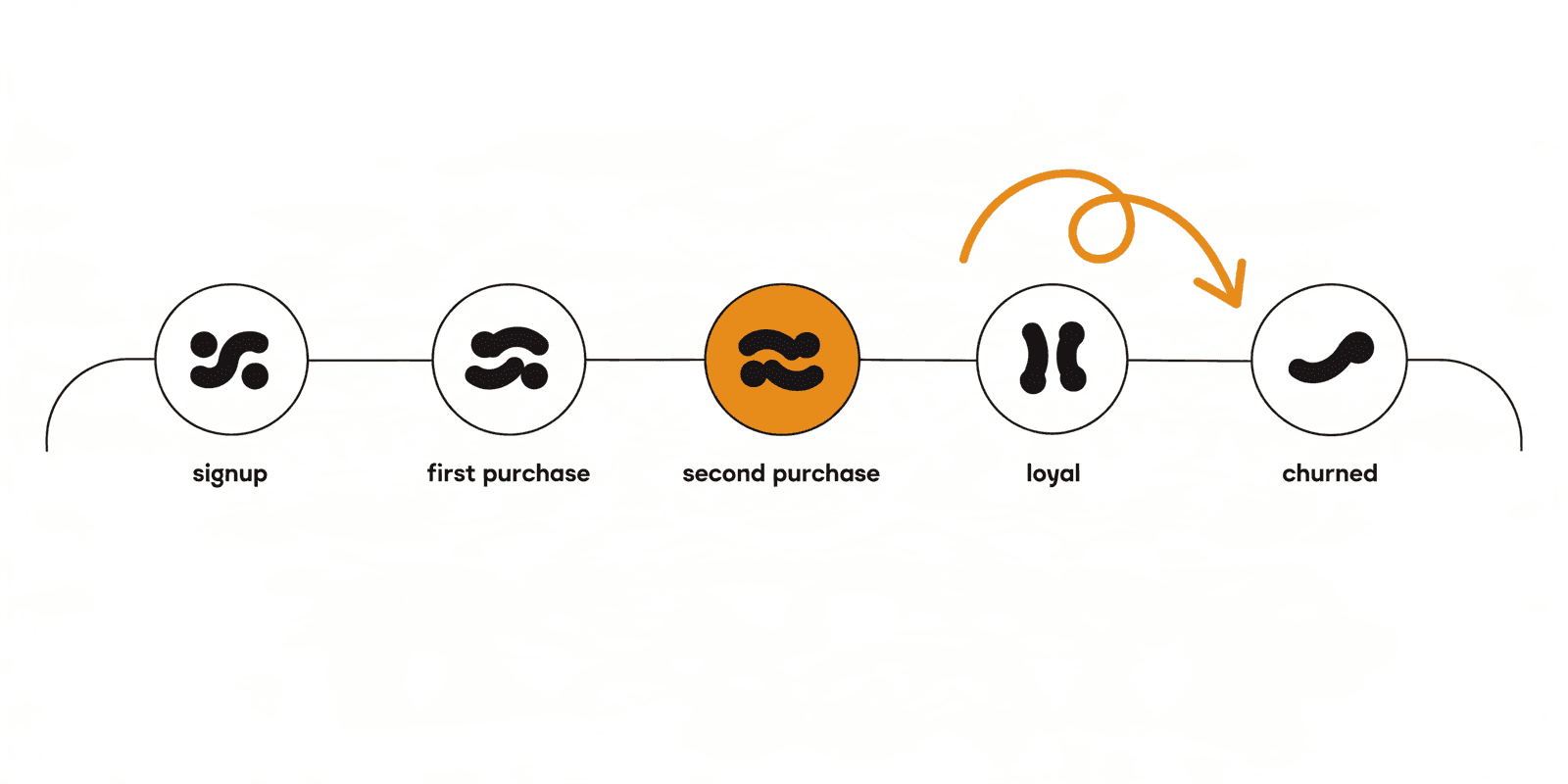
Onboarding covers everything that happens between signup and that activation moment: the signup flow, the welcome email, the first-run experience, in-app guidance, behavioral triggers, and the communication that follows when users stall.
- Activation milestone is the specific action or set of actions that predicts 30-day retention in your product
- Time-to-value is how long it takes a new user to reach the activation milestone
- Product adoption is the ongoing process of users discovering and integrating more of your product into their workflow
- User education within onboarding means teaching users how the product works in the context of what they are trying to accomplish, not as a feature demonstration
Why does SaaS onboarding matter more than ever?
Poor Onboarding Causes Churn
The majority of SaaS churn happens before a user ever pays. Users sign up with intent, get confused or overwhelmed in the first session, and never return. They do not cancel; they simply stop showing up. Most churn analysis misses this because it only tracks paying customers.
Early abandonment is a product problem, not a marketing problem. Acquiring more users does not solve it. Fixing the path from signup to value does.
Great Onboarding Increases Product Adoption
Users who complete onboarding adopt more features, integrate the product more deeply into their workflow, and become harder to displace. Feature discovery during onboarding builds the habit loops that make a product sticky.
A user who only uses one core feature churns at a much higher rate than a user who uses three or more. Onboarding is the primary driver of that adoption depth.
Faster Time-to-Value Improves Conversion Rates
Free-to-paid conversion tracks directly to how quickly users experience value. Users who reach their aha moment within the first session convert at significantly higher rates than users who take a week to get there. Shortening time-to-value is one of the highest-impact levers in a product-led growth model. The aha moment activation journey is built specifically to detect and act on that first-session window in real time.
Activation velocity, the speed at which users move from signup to first value, is the metric that connects onboarding to revenue.
Onboarding Directly Impacts Revenue
The compounding effect of good onboarding shows up across the entire revenue model. Higher activation rates mean more paying customers from the same acquisition spend. Lower early churn means higher lifetime value. Users who activate deeply become the ones who expand, refer others, and generate expansion revenue.
Onboarding is not a cost center. It is one of the highest-return investments a SaaS business can make.
What are the 5 core stages of SaaS onboarding?
Most onboarding discussions focus on product tours and checklists. That is one small piece of a larger system. Effective onboarding has five stages, each with a different goal.
1. Signup and First Impression
The signup flow sets the tone. Every unnecessary field, every ambiguous instruction, and every slow load time increases the chance a user abandons before they ever see the product. The goal of this stage is simple: reduce friction and create momentum.
The best SaaS signups ask for the minimum required to get started, use social sign-in where possible, and deliver the user to a meaningful first experience within 30 seconds of clicking sign up.
2. User Qualification and Personalization
Users arrive with different goals, different roles, and different levels of sophistication. A one-size-fits-all onboarding flow serves none of them well. This stage is about collecting enough information to route users toward the right experience.
- Onboarding surveys ask a few targeted questions right after signup to understand the user's primary goal
- Use-case segmentation routes users to templates, walkthroughs, or examples that match their stated objective
- Role-based onboarding shows different first experiences to an admin setting up the product versus an end user getting started
3. Guided Product Discovery
This is what most people think of when they say onboarding: the interactive walkthrough, the checklist, the tooltip sequence. The goal here is not to show users every feature. It is to show them the one action that delivers the most immediate value.
Guided discovery works best when it is contextual (the guidance appears next to the thing the user needs to do), progressive (it introduces complexity only after the basics are established), and optional (users who already know what to do can skip it).
4. Activation and First Success
This is the aha moment: the first time a user experiences the core value of the product. Everything in onboarding is designed to get users here as quickly as possible.
Activation milestones look different for every product but share a common trait: they represent a moment of genuine value delivery, not a product interaction. Creating an account is not activation. Sending your first campaign to a real audience is activation. Inviting a teammate who actually joins is activation.
5. Ongoing Adoption and Expansion
Most onboarding guides stop at activation. That is a mistake. Activation is just the beginning of the adoption journey. Users who experience one moment of value still need to build a habit around the product, discover adjacent features, and integrate it deeply enough into their workflow to make switching costly.
Lifecycle onboarding continues for 30 to 90 days after activation. It introduces features progressively, celebrates milestones, and uses behavioral triggers to surface the right guidance at the right moment in the user's workflow.
What are the 12 best SaaS onboarding examples in 2026?
The following examples are not just a list of companies with good onboarding. Each breaks down the specific pattern used, why it works psychologically, and what SaaS teams can take from it.
| Company | Onboarding Pattern | Core Takeaway |
|---|---|---|
| Notion | Learning-by-doing workspace | Demonstrate value, don't explain it |
| HubSpot | Survey-driven personalization | 3 to 5 questions at signup transforms relevance |
| Asana | External learning hub | Adoption also happens outside the product |
| Webflow | Behavior-triggered tooltips | Deliver guidance at the moment of need |
| Slack | Collaborative activation | Front-load the invite for network-effect products |
| Canva | Template-first entry | Eliminate the blank-page problem |
| Duolingo | Value before account creation | Let users invest before they commit |
| Loom | Minimal-friction path to first use | Every extra step is an abandonment point |
| Grammarly | Invisible contextual onboarding | Onboarding inside the workflow beats staged tutorials |
| Figma | Multiplayer social activation | Design onboarding around the sharing loop |
| Airtable | Use-case specific starting points | Remove configuration burden for flexible products |
| Miro | Template-led team activation | Make the first board the reason to bring the team in |
1. Notion: Learning by Doing
Notion greets new users with an interactive workspace that is already populated with example content. Instead of explaining what Notion does, it invites users to experience it. The onboarding is the product.
The psychological mechanism here is learning-by-doing. Users who interact with content immediately develop a mental model of how the product works faster than users who watch tutorials or read documentation. Notion also offers use-case templates from the first session, so users are not starting from a blank page.
- Pattern: Interactive onboarding workspace with pre-populated content
- Why it works: Reduces the blank-page problem and creates immediate product familiarity
- What to learn: Build a starting state that demonstrates value rather than explaining it
2. HubSpot: Survey-Driven Personalization
HubSpot's onboarding begins with a short survey that asks about company size, role, and primary goal. The product experience is then customized based on those answers. A marketing manager sees a different starting dashboard than a sales rep.
This pattern works because relevance reduces cognitive load. When users see examples and suggested actions that match their actual context, they spend less energy figuring out whether the product applies to them.
- Pattern: Role and goal-based segmentation at signup
- Why it works: Contextual onboarding reduces the effort required to see personal relevance
- What to learn: Collect three to five data points at signup to personalize the first-run experience
3. Asana: Educational Onboarding as a Product
Asana Academy is a full self-serve learning hub that exists outside the product itself. It includes courses, certifications, and use-case tutorials that help users go from beginner to power user at their own pace.
Most onboarding happens inside the product. Asana recognized that adoption enablement often happens outside it. Users who invest in learning the product through structured education adopt more features and churn at lower rates.
- Pattern: Self-serve learning hub alongside in-product guidance
- Why it works: Meets users where they are in the learning process, including outside the product
- What to learn: Build resources that serve users who prefer structured learning over in-app walkthroughs
4. Webflow: Contextual Tooltip-Driven Learning
Webflow has a complex interface that could easily overwhelm new users. Their onboarding uses contextual tooltips that appear at the moment a user is about to use a feature for the first time, not before. The guidance is triggered by behavior, not by a fixed walkthrough sequence.
This approach reduces overwhelm by delivering information at the moment of need rather than front-loading everything in a long setup wizard. Users retain more because they encounter guidance in context.
- Pattern: Behavior-triggered contextual guidance
- Why it works: Information delivered at the moment of need is retained and applied more effectively
- What to learn: Trigger onboarding guidance based on user actions, not on time elapsed since signup
5. Slack: Collaborative Activation
Slack's onboarding is built around one insight: the product is worthless without teammates. Their onboarding pushes the invite action to the very beginning of the experience, before users have done much else.
Once a user invites a teammate who actually joins, both users are far more likely to retain. Slack creates activation through network effects. The more colleagues in the workspace, the more valuable the product becomes, and the harder it is to leave.
- Pattern: Collaborative activation with immediate teammate invite
- Why it works: Multi-player products activate best when multiple users are involved from the start
- What to learn: Identify whether your aha moment requires other users and front-load that action
6. Canva: Template-First Value Delivery
Canva starts every new user with a template selection. Before they even enter the editor, they have chosen a design direction. This solves what Canva's team identified as the biggest barrier to activation: the blank canvas.
Templates deliver instant value by giving users something to customize rather than something to create from scratch. Users who start with a template complete their first design significantly faster than users who start from a blank page.
- Pattern: Template-first entry that eliminates the blank-page problem
- Why it works: Starting from something concrete is faster than starting from nothing
- What to learn: Provide meaningful starting points that match user goals instead of empty states
7. Duolingo: Gamified Onboarding with Momentum Loops
Duolingo gets users doing their first lesson before they have even created an account. The onboarding is the product experience, and it is designed to create a streak from the first session.
Progress loops, streaks, and achievement moments create the behavioral pattern of returning to the product. By the time a user creates an account, they already have a relationship with the product. The signup is the commitment mechanism, not the starting point.
- Pattern: Value-first onboarding where the product experience precedes account creation
- Why it works: Users commit more deeply after they have already invested time and built initial momentum
- What to learn: Let users experience value before requiring full account setup where possible
8. Loom: Minimal Friction to First Value
Loom's entire product can be experienced within two minutes of signing up. Install the extension, record your first video, and share it. Three steps and users have experienced the core value proposition.
The lesson from Loom is that activation complexity is a design choice. The team consistently optimizes to remove any step between signup and first recording. Every additional step is a potential abandonment point.
- Pattern: Simplified path from signup to first meaningful product use
- Why it works: Fewer steps between signup and aha moment means fewer abandonment points
- What to learn: Map every step between signup and first value and remove anything that isn't essential
9. Grammarly: Invisible Contextual Onboarding
Grammarly onboards users by giving them corrections in real time from the moment they start writing. The product educates users by doing what the product does. There is no separate onboarding mode.
This is usage-triggered education at its best. Users learn what the product can do by using it, and the corrections arrive in the exact context where they are relevant. The onboarding is invisible because it happens inside the user's actual workflow.
- Pattern: Onboarding embedded in normal product use
- Why it works: Contextual education delivered during real work is more effective than staged tutorials
- What to learn: Look for ways to make your product demonstrate its value through use, not through explanation
10. Figma: Multiplayer Social Activation
Figma's onboarding is designed around the multiplayer experience that differentiates it from desktop design tools. New users are encouraged to share files early. The act of sharing exposes collaborators to the product and creates social activation loops.
Figma grew substantially through product-led virality. Every user who shares a file is doing onboarding work for Figma. The company designed its onboarding to accelerate this loop.
- Pattern: Social activation built around the product's collaborative differentiator
- Why it works: Sharing creates natural product exposure and drives new signups from existing users
- What to learn: Identify the social or collaborative action in your product and build onboarding around it
11. Airtable: Use-Case Driven Workflow Onboarding
Airtable asks users what they want to build at the beginning of onboarding and then provides a pre-configured base that matches that use case. A project manager gets a different starting experience than a content team or a developer.
The insight here is that Airtable is a flexible product with many possible configurations. That flexibility can be overwhelming for new users. By routing users to a use-case specific starting point, Airtable removes the configuration burden and delivers immediate relevance.
- Pattern: Workflow-specific onboarding with pre-configured starting templates
- Why it works: Reduces the cognitive cost of setup for flexible, multi-use-case products
- What to learn: If your product can do many things, guide users to the one that matches their immediate need
12. Miro: Template-Led Activation for Teams
Miro surfaces collaboration templates at the start of onboarding, making the path from signup to first shared board very short. Templates like retrospectives, brainstorms, and sprint planning boards give teams a reason to invite colleagues immediately.
By connecting templates to common team workflows, Miro creates activation events that are inherently social. The first board becomes the reason to bring the rest of the team in, which deepens activation and creates the network effect that makes Miro hard to replace.
- Pattern: Template-led onboarding designed around team workflows
- Why it works: Connects activation to real work patterns that require collaboration
- What to learn: Design onboarding milestones that naturally pull in additional users from the same team
What is the psychology behind great SaaS onboarding?
Users Don't Want Features. They Want Outcomes.
Every user arrives with a goal that has nothing to do with your product specifically. They want to close more deals, design faster, manage their team without chaos, or track their metrics. The product is the vehicle. The outcome is what they care about.
Onboarding that leads with features misses this entirely. Onboarding that leads with outcomes converts, because it speaks directly to why the user signed up.
Reduce Cognitive Overload
Every choice, every button, every option a user encounters during onboarding consumes cognitive resources. When cognitive load exceeds a threshold, users give up. They do not tell you they gave up. They just stop returning.
Reducing cognitive load during onboarding means fewer choices, simpler navigation, and a clear next step at every point in the flow. The user should never have to wonder what to do next.
Show Value Before Teaching Complexity
The instinct to front-load education is understandable but counterproductive. Users need a reason to invest in learning before they will commit to it. Show them value first. Once they have experienced something useful, they are motivated to learn more.
This is why template-first and demo-first onboarding patterns outperform tutorial-first patterns. The experience comes before the explanation.
Momentum Drives Retention
Each small win in onboarding builds momentum. Completing a step triggers a small reward, which makes the next step easier to take. The checklist is not just a navigation tool. It is a psychological mechanism that uses progress and completion to maintain engagement.
Users who complete three or more onboarding steps in their first session have significantly higher 7-day retention than users who complete one. Every step is an investment that makes the user more likely to continue.
Personalization Reduces Friction
When users see content, examples, and suggestions that match their actual context, they spend less time figuring out whether the product is relevant to them. That saved effort translates directly into faster activation.
Personalization does not require sophisticated machine learning. A three-question onboarding survey and a few branching rules can deliver dramatically more relevant first-run experiences than a single generic flow.
Small Wins Create Habit Loops
The habit loop in psychology: cue, routine, reward. Onboarding is the process of establishing this loop in a user's relationship with your product. A cue (a notification or a recurring work need) triggers a routine (opening the product), which produces a reward (value delivered).
The first few product interactions plant the seed of this habit. Onboarding that creates a series of small wins, each with a moment of positive feedback, establishes the loop that keeps users returning.
What are the SaaS onboarding best practices that drive activation?
Personalize Based on Role or Goal
Ask three to five questions at signup and use the answers to route users into different onboarding paths. A developer integrating via API needs a completely different starting experience than a marketing manager building campaigns. One flow cannot serve both well.
Keep Signup Friction Low
Every field in a signup form is a potential abandonment point. Ask only for what you absolutely need to deliver the first meaningful experience. Delay optional information like company size, billing details, or onboarding survey questions until after the user has seen enough of the product to feel committed.
Guide Users to One Core Action
The most common onboarding mistake is showing users too much at once. Pick the one action that most directly demonstrates your product's core value and design the entire onboarding experience around getting users there. Everything else comes later.
Use Progressive Disclosure
Introduce features gradually, based on where users are in their adoption journey. A user who just signed up does not need to know about your advanced reporting suite. A user who has been active for two weeks and has built their first workflow is ready to learn about it.
Build Around the Aha Moment
Find the moment in your product where users consistently say "I get it" and design onboarding to get users there as directly as possible. Remove everything in the path to that moment that doesn't directly contribute to reaching it.
Use Checklists and Progress Indicators
Onboarding checklists work because they make progress visible. Users can see how far they have come and how close they are to completion. The near-completion effect in psychology means users accelerate their effort as they get closer to finishing a task.
Combine In-App and Email Onboarding
In-app guidance converts users who are actively using the product. Email re-engages users who left before reaching activation. You need both. In-app without email loses the users who stall and don't come back. Email without in-app guidance frustrates users who don't know what to do when they arrive.
Support Multiple Learning Styles
Some users want to follow a guided walkthrough. Others want to explore independently and refer to documentation when stuck. Others want a quick video overview. Providing multiple paths through onboarding serves more users and reduces the friction that comes from forcing a single learning style on everyone.
Use Behavioral Triggers
Send onboarding messages based on what users do, not what day it is. If a user has been active for three days and has not completed the core setup, that is a trigger. If a user completed setup but has not invited a teammate, that is a different trigger with a different message. Time-based sequences ignore this entirely.
Continuously Optimize Flows
Onboarding is not a launch-and-forget project. Track where users drop off, test different approaches to the most impactful stages, and iterate based on data. The best onboarding teams treat activation rate as a north star metric and run structured experiments against it every month.
What are the most common SaaS onboarding mistakes?
- Overwhelming users with feature tours. A 12-step product tour covers everything and converts nobody. Users cannot retain information they don't immediately apply. Show them one thing at a time.
- Too many tooltips. Tooltips work when they are contextual and sparse. A tooltip on every button is not helpful guidance. It is visual noise that trains users to ignore your hints.
- Feature dumping instead of outcome selling. Showing users a list of features during onboarding answers the wrong question. Users are not asking what the product can do. They are asking whether it can solve their specific problem.
- No personalization. A single onboarding flow for all users treats a first-time SMB founder the same as a VP of Engineering at a scaling startup. They have different goals, different sophistication levels, and different paths to activation.
- Long signup flows. Asking for company size, use case, team size, and billing information before the user has seen the product destroys conversion. Defer everything that isn't necessary for the first experience.
- Onboarding without a defined activation goal. If you do not know what activation looks like in your product, your onboarding has no target. Every decision in onboarding should point toward a specific, measurable activation milestone.
- Stopping onboarding at activation. Onboarding ends when the user is fully adopted, not when they complete a setup checklist. Teams that treat activation as the finish line miss the ongoing adoption work that drives retention.
- Ignoring behavioral data. Sending the same emails to users who have activated and users who have not is a waste. Behavioral data lets you route users to the right message at the right moment.
Which SaaS onboarding metrics actually matter?
Most onboarding analytics track the wrong things. Email open rates and product tour completion rates are vanity metrics. The metrics that matter connect onboarding activity to business outcomes.
| Metric | What it measures | What to look for |
|---|---|---|
| Activation rate | Percentage of signups who reach the activation milestone within a defined window | 40 to 60% is healthy for most PLG products; below 20% signals a structural problem |
| Time-to-value | Average time from signup to activation | Above 7 days usually indicates friction in the first three onboarding stages |
| Onboarding completion rate | Percentage of users who finish the core onboarding checklist or flow | Useful for identifying where users drop off, not as a success metric in itself |
| Trial-to-paid conversion | Percentage of free trial users who convert to paid | The downstream output of effective onboarding; tracks the revenue impact |
| Retention rate | Percentage of activated users still active at 30, 60, and 90 days | Activation without retention means the product is not delivering sustained value |
| Feature adoption | Number of core features used per activated user | Users who adopt 3+ features churn at roughly half the rate of single-feature users |
| Churn rate by cohort | Churn rate segmented by onboarding path or activation status | Reveals which onboarding approaches correlate with higher retention |
| Product-qualified leads | Users who have reached a defined behavioral threshold in the product | The leading indicator of conversion for PLG businesses |
Activation rate benchmarks above are drawn from OpenView Partners' annual PLG research and product analytics industry data.
How is AI changing SaaS onboarding in 2026?
The onboarding stack is being rebuilt around behavioral personalization and automation. AI is not replacing onboarding teams. It is giving them capabilities that were not practical at the speed and scale required.
Behavioral Personalization at Scale
Traditional segmentation puts users into three or four buckets based on firmographic data. AI-driven onboarding can segment by behavioral signals: what features a user has touched, where they stalled, what content they have consumed, and how their usage pattern compares to similar users who converted. Each user gets a more relevant onboarding path without manual segment configuration.
AI Onboarding Agents
Conversational AI agents embedded in the product can answer setup questions in real time, guide users through complex configuration steps, and surface relevant documentation without requiring users to leave the product. This reduces the support load that typically spikes during high-growth onboarding periods.
Predictive Onboarding
Machine learning models trained on historical activation data can predict which users are at risk of churning before they show obvious signs of disengagement. This allows onboarding teams to intervene earlier, when engagement-saving actions are more effective, rather than waiting for a user to go seven days without logging in.
Adaptive Onboarding Flows
Static onboarding flows show every user the same steps in the same order. Adaptive flows adjust the sequence, content, and timing of onboarding steps based on what each user has already done and where they are in the activation journey. A user who has already completed a step does not see it again. A user who is stuck on a specific action gets targeted help.
Onboarding Automation
Modern SaaS teams are increasingly using behavioral data and AI-driven onboarding to personalize activation journeys at a scale that was not possible with manual segmentation and calendar-based sequences. Segment logic that previously required analyst support can now be generated from a plain-language prompt. Journey configurations that once required a developer can be described in natural language and deployed in hours.
Which tools help with SaaS onboarding?
Think of onboarding tooling not as software for sending welcome emails but as activation infrastructure: the set of systems that work together to move users from signup to value and from value to habit.
Product Adoption Platforms
Tools like Appcues, Pendo, and Intercom handle the in-app layer of onboarding: product tours, checklists, tooltips, and modals. They are most useful for teams who need to build and iterate on in-product experiences without engineering support.
Behavioral Analytics Platforms
Tools like Mixpanel and Amplitude track user events and help teams understand where users activate, where they stall, and which behaviors correlate with long-term retention. They are the foundation for data-driven onboarding optimization.
Lifecycle Messaging Platforms
Platforms like Intempt, Customer.io, and Braze handle the email and notification layer. The best platforms in this category go beyond scheduling emails on a fixed timeline and allow behavioral triggers, exit conditions, and journey logic that responds to what users actually do.
Personalization Tools
Personalization tools adapt the in-product and web experience based on user segments. This includes role-based content, use-case specific templates, and win-back experiences for returning churned users. The best onboarding systems adapt to user intent in real time.
Customer Data Platforms
CDPs unify user data across product, email, support, and CRM systems into a single behavioral profile. They enable the kind of cross-channel onboarding coordination that treats users consistently regardless of where they encounter your product.
What should be on your SaaS onboarding checklist?
- Define your activation milestone before building any onboarding logic. Analyze retained users from the last 6 months and identify the actions they consistently completed in the first 7 days that churned users did not.
- Set up event tracking for at minimum: signup, login, core feature usage, profile completion, and plan upgrade.
- Build dynamic segments for: Activated Users, Signed Up Not Activated, Churned Users, and Returning Churned Users.
- Create a personalization survey at signup with 3 to 5 questions to route users into relevant onboarding paths.
- Map the path to your aha moment and remove every step that does not directly contribute to reaching it.
- Build your in-app onboarding checklist or walkthrough around the one action that delivers the most immediate value.
- Set up a behavioral email sequence that checks whether the user has activated before sending each message and exits the moment they do.
- Configure progress tracking so users can see how far they have come in the onboarding process.
- Set up behavioral triggers for users who stall at key steps rather than sending fixed-day nudges.
- Create a post-activation adoption journey that introduces additional features progressively over 21 to 30 days.
- Set up analytics to track activation rate, time-to-value, and feature adoption depth by cohort.
- Establish a feedback loop to collect qualitative input from users who activated and users who churned during onboarding.
What are the key SaaS onboarding takeaways for 2026?
Onboarding determines activation. Activation determines retention. Retention determines growth. These three relationships make onboarding one of the most important systems in any SaaS business.
The best SaaS onboarding experiences share four qualities: they reduce friction at every step, they personalize the path based on who the user is and what they want to accomplish, they accelerate time-to-value by removing everything that isn't essential to reaching the aha moment, and they continuously guide users toward deeper adoption after activation.
Modern SaaS teams are increasingly using behavioral data and AI-driven onboarding to personalize activation journeys at a scale that was not possible with manual segmentation and calendar-based sequences. The best onboarding systems adapt to user intent in real time, responding to what users actually do rather than what a schedule assumes they should have done.
If your activation rate is below 40 percent, start with the fundamentals: a defined activation milestone, clean event tracking, and behavioral logic that exits the moment users reach value. That foundation will outperform any combination of better email copy or more sophisticated tooling.
Two patterns from running onboarding on our own product
The activation event is almost never the login event. First login is a leading indicator but a lagging cause. The activation event is the first time a user completes an action that gives them a reason to come back. For an analytics tool, it is the first custom dashboard saved. For a lifecycle tool, it is the first journey shipped to a real segment. Pick the return-cause action, not the arrival action, as the activation metric. Teams that measure on login numbers inflate their activation rate without inflating retention.
Empty state is where most B2B SaaS onboarding leaks value. If the product opens on a blank workspace, the user's next action is usually not "explore" but "close the tab and come back later," and later often does not happen. Seeding the workspace with a real example the user can edit, rather than a blank canvas with a tooltip, is one of the highest-leverage single changes in a B2B onboarding flow. Cost: hours to build the seeded example once. Payback: measurable across every future signup.
Frequently asked questions.Answered.
- SaaS onboarding is the structured process of guiding new users from signup to their activation milestone - the first moment of genuine value - before they lose momentum. Healthy PLG products see 40 to 60% activation within 14 days. Users who adopt three or more core features churn at roughly half the rate of single-feature users. Free-to-paid conversion tracks directly to how quickly users reach their aha moment; users who activate within the first session convert at significantly higher rates than users who take a week. Onboarding includes in-app guidance (checklists, tooltips, walkthroughs), behavioral email sequences, role-based personalization, and lifecycle triggers that respond to what users actually do rather than a fixed calendar schedule.